microsoft/PowerToysPublic

Microsoft PowerToys is a collection of utilities that supercharge productivity and customization on Windows

AI summary: A comprehensive collection of advanced system utilities to heavily customize and streamline Windows workflows.

Stars
139.2K
+35 today
Forks
8.6K
Watchers
1.2K
Open issues
7.5K
Open PRs
139
Contributors
~690
Commits
9.8K
Branches
738

CMITCreated May 1, 2019Last push todayLatest release v0.101.2362.0+165 stars this week+836 this month

Quick answers

What is PowerToys?
A comprehensive collection of advanced system utilities to heavily customize and streamline Windows workflows.
What does PowerToys do?
PowerToys operates as an advanced, robust toolkit providing deep system-level enhancements specifically designed for Windows power users to maximize their daily productivity. It intelligently bundles over 30 specialized utilities that effectively solve common workflow bottlenecks, ranging from complex window management to advanced bulk file renaming. The toolset integrates deeply into the Windows operating system, offering highly responsive features like a quick keyboard launcher, a precise screen ruler, and a global color picker. By bringing these diverse, powerful utilities into a single cohesive application, it significantly reduces operational friction for developers and heavy computer users.
Who is PowerToys for?
PowerToys is explicitly designed for Windows power users, software developers, UI designers, and anyone looking to dramatically optimize their daily computer interactions. It strictly requires a modern Windows 10 or Windows 11 operating system.
How do I get started with PowerToys?
winget install Microsoft.PowerToys -s winget
How popular is PowerToys on GitHub?
microsoft/PowerToys has 139,225 stars and 8,623 forks on GitHub, and gained 165 stars in the last 7 days.
What license does PowerToys use?
microsoft/PowerToys is released under the MIT license.

Star history

since May 5, 2019
050K100KMay 2019Oct 2021Mar 2024Oct 2026
139.2K stars as of Oct 4, 2026. Before Jul 31, 2026, reconstructed from public GitHub event archives (checked against the repository's real star total); since then measured daily.

Contribution activity

commits per day, last 52 weeks
OctNovDecJanFebMarAprMayJunJulAugSepMonWedFri2025-10-05: 0 commits2025-10-06: 7 commits2025-10-07: 4 commits2025-10-08: 5 commits2025-10-09: 7 commits2025-10-10: 4 commits2025-10-11: 0 commits2025-10-12: 1 commit2025-10-13: 3 commits2025-10-14: 2 commits2025-10-15: 4 commits2025-10-16: 5 commits2025-10-17: 3 commits2025-10-18: 0 commits2025-10-19: 0 commits2025-10-20: 5 commits2025-10-21: 3 commits2025-10-22: 2 commits2025-10-23: 6 commits2025-10-24: 2 commits2025-10-25: 3 commits2025-10-26: 2 commits2025-10-27: 1 commit2025-10-28: 9 commits2025-10-29: 3 commits2025-10-30: 1 commit2025-10-31: 2 commits2025-11-01: 0 commits2025-11-02: 0 commits2025-11-03: 0 commits2025-11-04: 2 commits2025-11-05: 12 commits2025-11-06: 16 commits2025-11-07: 2 commits2025-11-08: 1 commit2025-11-09: 0 commits2025-11-10: 7 commits2025-11-11: 6 commits2025-11-12: 6 commits2025-11-13: 18 commits2025-11-14: 3 commits2025-11-15: 2 commits2025-11-16: 3 commits2025-11-17: 3 commits2025-11-18: 8 commits2025-11-19: 3 commits2025-11-20: 3 commits2025-11-21: 1 commit2025-11-22: 0 commits2025-11-23: 0 commits2025-11-24: 5 commits2025-11-25: 0 commits2025-11-26: 1 commit2025-11-27: 4 commits2025-11-28: 0 commits2025-11-29: 3 commits2025-11-30: 2 commits2025-12-01: 5 commits2025-12-02: 4 commits2025-12-03: 2 commits2025-12-04: 0 commits2025-12-05: 8 commits2025-12-06: 0 commits2025-12-07: 4 commits2025-12-08: 8 commits2025-12-09: 4 commits2025-12-10: 5 commits2025-12-11: 6 commits2025-12-12: 1 commit2025-12-13: 0 commits2025-12-14: 0 commits2025-12-15: 3 commits2025-12-16: 1 commit2025-12-17: 3 commits2025-12-18: 2 commits2025-12-19: 5 commits2025-12-20: 0 commits2025-12-21: 0 commits2025-12-22: 3 commits2025-12-23: 3 commits2025-12-24: 0 commits2025-12-25: 4 commits2025-12-26: 1 commit2025-12-27: 0 commits2025-12-28: 0 commits2025-12-29: 1 commit2025-12-30: 0 commits2025-12-31: 0 commits2026-01-01: 0 commits2026-01-02: 0 commits2026-01-03: 0 commits2026-01-04: 4 commits2026-01-05: 7 commits2026-01-06: 3 commits2026-01-07: 2 commits2026-01-08: 20 commits2026-01-09: 7 commits2026-01-10: 0 commits2026-01-11: 0 commits2026-01-12: 2 commits2026-01-13: 9 commits2026-01-14: 4 commits2026-01-15: 3 commits2026-01-16: 3 commits2026-01-17: 1 commit2026-01-18: 0 commits2026-01-19: 2 commits2026-01-20: 5 commits2026-01-21: 6 commits2026-01-22: 1 commit2026-01-23: 4 commits2026-01-24: 0 commits2026-01-25: 0 commits2026-01-26: 4 commits2026-01-27: 5 commits2026-01-28: 3 commits2026-01-29: 9 commits2026-01-30: 2 commits2026-01-31: 2 commits2026-02-01: 1 commit2026-02-02: 10 commits2026-02-03: 4 commits2026-02-04: 1 commit2026-02-05: 10 commits2026-02-06: 4 commits2026-02-07: 0 commits2026-02-08: 0 commits2026-02-09: 5 commits2026-02-10: 6 commits2026-02-11: 9 commits2026-02-12: 8 commits2026-02-13: 3 commits2026-02-14: 3 commits2026-02-15: 0 commits2026-02-16: 0 commits2026-02-17: 0 commits2026-02-18: 0 commits2026-02-19: 4 commits2026-02-20: 3 commits2026-02-21: 1 commit2026-02-22: 2 commits2026-02-23: 3 commits2026-02-24: 8 commits2026-02-25: 3 commits2026-02-26: 7 commits2026-02-27: 10 commits2026-02-28: 0 commits2026-03-01: 6 commits2026-03-02: 5 commits2026-03-03: 10 commits2026-03-04: 5 commits2026-03-05: 2 commits2026-03-06: 2 commits2026-03-07: 2 commits2026-03-08: 2 commits2026-03-09: 14 commits2026-03-10: 9 commits2026-03-11: 7 commits2026-03-12: 0 commits2026-03-13: 0 commits2026-03-14: 0 commits2026-03-15: 0 commits2026-03-16: 3 commits2026-03-17: 3 commits2026-03-18: 4 commits2026-03-19: 1 commit2026-03-20: 1 commit2026-03-21: 0 commits2026-03-22: 0 commits2026-03-23: 0 commits2026-03-24: 15 commits2026-03-25: 5 commits2026-03-26: 6 commits2026-03-27: 3 commits2026-03-28: 8 commits2026-03-29: 0 commits2026-03-30: 4 commits2026-03-31: 5 commits2026-04-01: 19 commits2026-04-02: 0 commits2026-04-03: 10 commits2026-04-04: 0 commits2026-04-05: 0 commits2026-04-06: 0 commits2026-04-07: 0 commits2026-04-08: 0 commits2026-04-09: 4 commits2026-04-10: 2 commits2026-04-11: 0 commits2026-04-12: 3 commits2026-04-13: 2 commits2026-04-14: 5 commits2026-04-15: 3 commits2026-04-16: 2 commits2026-04-17: 2 commits2026-04-18: 0 commits2026-04-19: 0 commits2026-04-20: 6 commits2026-04-21: 6 commits2026-04-22: 5 commits2026-04-23: 13 commits2026-04-24: 9 commits2026-04-25: 3 commits2026-04-26: 1 commit2026-04-27: 0 commits2026-04-28: 5 commits2026-04-29: 5 commits2026-04-30: 3 commits2026-05-01: 1 commit2026-05-02: 0 commits2026-05-03: 0 commits2026-05-04: 0 commits2026-05-05: 1 commit2026-05-06: 3 commits2026-05-07: 0 commits2026-05-08: 4 commits2026-05-09: 0 commits2026-05-10: 0 commits2026-05-11: 4 commits2026-05-12: 5 commits2026-05-13: 7 commits2026-05-14: 6 commits2026-05-15: 9 commits2026-05-16: 5 commits2026-05-17: 1 commit2026-05-18: 10 commits2026-05-19: 8 commits2026-05-20: 4 commits2026-05-21: 7 commits2026-05-22: 6 commits2026-05-23: 3 commits2026-05-24: 1 commit2026-05-25: 5 commits2026-05-26: 6 commits2026-05-27: 4 commits2026-05-28: 6 commits2026-05-29: 0 commits2026-05-30: 0 commits2026-05-31: 1 commit2026-06-01: 8 commits2026-06-02: 6 commits2026-06-03: 0 commits2026-06-04: 2 commits2026-06-05: 0 commits2026-06-06: 0 commits2026-06-07: 0 commits2026-06-08: 1 commit2026-06-09: 4 commits2026-06-10: 1 commit2026-06-11: 1 commit2026-06-12: 2 commits2026-06-13: 0 commits2026-06-14: 1 commit2026-06-15: 4 commits2026-06-16: 1 commit2026-06-17: 0 commits2026-06-18: 15 commits2026-06-19: 3 commits2026-06-20: 1 commit2026-06-21: 4 commits2026-06-22: 12 commits2026-06-23: 10 commits2026-06-24: 14 commits2026-06-25: 5 commits2026-06-26: 4 commits2026-06-27: 3 commits2026-06-28: 2 commits2026-06-29: 5 commits2026-06-30: 5 commits2026-07-01: 7 commits2026-07-02: 7 commits2026-07-03: 3 commits2026-07-04: 4 commits2026-07-05: 2 commits2026-07-06: 5 commits2026-07-07: 8 commits2026-07-08: 12 commits2026-07-09: 5 commits2026-07-10: 1 commit2026-07-11: 0 commits2026-07-12: 4 commits2026-07-13: 1 commit2026-07-14: 2 commits2026-07-15: 3 commits2026-07-16: 6 commits2026-07-17: 8 commits2026-07-18: 1 commit2026-07-19: 0 commits2026-07-20: 0 commits2026-07-21: 5 commits2026-07-22: 1 commit2026-07-23: 0 commits2026-07-24: 0 commits2026-07-25: 0 commits2026-07-26: 1 commit2026-07-27: 4 commits2026-07-28: 10 commits2026-07-29: 1 commit2026-07-30: 12 commits2026-07-31: 5 commits2026-08-01: 0 commits2026-08-02: 0 commits2026-08-03: 8 commits2026-08-04: 2 commits2026-08-05: 8 commits2026-08-06: 11 commits2026-08-07: 13 commits2026-08-08: 8 commits2026-08-09: 5 commits2026-08-10: 6 commits2026-08-11: 4 commits2026-08-12: 4 commits2026-08-13: 7 commits2026-08-14: 13 commits2026-08-15: 2 commits2026-08-16: 0 commits2026-08-17: 6 commits2026-08-18: 6 commits2026-08-19: 3 commits2026-08-20: 0 commits2026-08-21: 5 commits2026-08-22: 0 commits2026-08-23: 0 commits2026-08-24: 2 commits2026-08-25: 6 commits2026-08-26: 2 commits2026-08-27: 0 commits2026-08-28: 3 commits2026-08-29: 0 commits2026-08-30: 3 commits2026-08-31: 7 commits2026-09-01: 5 commits2026-09-02: 8 commits2026-09-03: 7 commits2026-09-04: 2 commits2026-09-05: 2 commits2026-09-06: 3 commits2026-09-07: 9 commits2026-09-08: 2 commits2026-09-09: 5 commits2026-09-10: 3 commits2026-09-11: 5 commits2026-09-12: 2 commits2026-09-13: 1 commit2026-09-14: 2 commits2026-09-15: 1 commit2026-09-16: 4 commits2026-09-17: 1 commit2026-09-18: 4 commits2026-09-19: 3 commits2026-09-20: 3 commits2026-09-21: 3 commits2026-09-22: 12 commits2026-09-23: 10 commits2026-09-24: 1 commit2026-09-25: 3 commits2026-09-26: 0 commits2026-09-27: 8 commits2026-09-28: 19 commits2026-09-29: 14 commits2026-09-30: 10 commits2026-10-01: 8 commits2026-10-02: 2 commits2026-10-03: 0 commits
1,346 commits in the last yearLessMore

Signals and awards

derived from tracked data
  • Landmark project

    139,225 stars

  • Battle-tested

    7 years of history

  • Very active

    1,346 commits in 52 weeks

  • Community-driven

    ~690 contributors

  • Well documented

    High community health score

  • Permissive license

    MIT

  • Continuous integration

    Automated checks passing

  • Top 10% tracked

    Rank 44 of 1135

What PowerToys does

PowerToys operates as an advanced, robust toolkit providing deep system-level enhancements specifically designed for Windows power users to maximize their daily productivity. It intelligently bundles over 30 specialized utilities that effectively solve common workflow bottlenecks, ranging from complex window management to advanced bulk file renaming. The toolset integrates deeply into the Windows operating system, offering highly responsive features like a quick keyboard launcher, a precise screen ruler, and a global color picker. By bringing these diverse, powerful utilities into a single cohesive application, it significantly reduces operational friction for developers and heavy computer users.

PowerToys is explicitly designed for Windows power users, software developers, UI designers, and anyone looking to dramatically optimize their daily computer interactions. It strictly requires a modern Windows 10 or Windows 11 operating system.

  • FancyZones: Empowers users to intuitively create complex, customized window layouts to quickly snap and manage multiple applications.
  • PowerToys Run: Delivers a highly responsive quick launcher activated by a keyboard shortcut to instantly search for apps and files.
  • Color Picker: Enables users to precisely select colors from anywhere on the screen and seamlessly copy them in multiple formats.
  • Advanced Paste: Significantly extends the standard clipboard with AI-powered textual transformations and custom formatting options.
  • Always on Top: Provides the immediate ability to pin any active window above all others with a simple, configurable keyboard shortcut.

Where teams use it

Efficient multitasking

Power users can extensively utilize FancyZones to organize multiple windows perfectly across ultra-wide or complex multiple monitor setups.

Rapid application launching

Keyboard-centric users can rely exclusively on PowerToys Run to quickly find and launch applications without ever using the mouse.

UI design and development

Professional designers and frontend developers can deploy the global Color Picker and Screen Ruler to quickly extract necessary visual values.

Bulk file management

Users managing massively large directories can effectively use PowerRename for executing advanced, regex-based bulk file renaming operations.

Getting started: winget install Microsoft.PowerToys -s winget

README

main branch

Microsoft PowerToys

Microsoft PowerToys is a collection of utilities that help you customize Windows and streamline everyday tasks.

🔨 Utilities

PowerToys includes over 30 utilities to help you customize and optimize your Windows experience:

Advanced Paste icon Advanced Paste Always on Top icon Always on Top Awake icon Awake
Color Picker icon Color Picker Command Not Found icon Command Not Found Command Palette icon Command Palette
Crop and Lock icon Crop And Lock Environment Variables icon Environment Variables FancyZones icon FancyZones
File Explorer Add-ons icon File Explorer Add-ons File Locksmith icon File Locksmith Grab And Move icon Grab And Move
Hosts File Editor icon Hosts File Editor Image Resizer icon Image Resizer Keyboard Manager icon Keyboard Manager
Light Switch icon Light Switch Mouse Utilities icon Mouse Utilities Mouse Without Borders icon Mouse Without Borders
New+ icon New+ Peek icon Peek PowerDisplay icon PowerDisplay
PowerRename icon PowerRename PowerToys Run icon PowerToys Run Quick Accent icon Quick Accent
Registry Preview icon Registry Preview Screen Ruler icon Screen Ruler Shortcut Guide icon Shortcut Guide
Text Extractor icon Text Extractor Window Hopper icon Window Hopper Workspaces icon Workspaces
ZoomIt icon ZoomIt

📦 Installation

For detailed installation instructions and system requirements, visit the installation docs.

But to get started quickly, choose one of the installation methods below:

Download the .exe file from GitHub

Go to the PowerToys GitHub releases, scroll down and select Assets to reveal the installation files, and choose the one that matches your architecture and install scope. For most devices, that would be x64 per-user.

Microsoft Store
You can easily install PowerToys from the Microsoft Store:

WinGet
Download PowerToys from [WinGet](https://github.com/microsoft/winget-cli#installing-the-client). Updating PowerToys via winget will respect the current PowerToys installation scope. To install PowerToys, run the following command from the command line / PowerShell:
  • User scope installer (default)
winget install Microsoft.PowerToys -s winget
  • Machine-wide scope installer
winget install --scope machine Microsoft.PowerToys -s winget
Other methods
There are [community driven install methods](https://learn.microsoft.com/windows/powertoys/install#community-driven-install-tools) such as Chocolatey and Scoop. If these are your preferred install solutions, you can find the install instructions there.

✨ What's new?
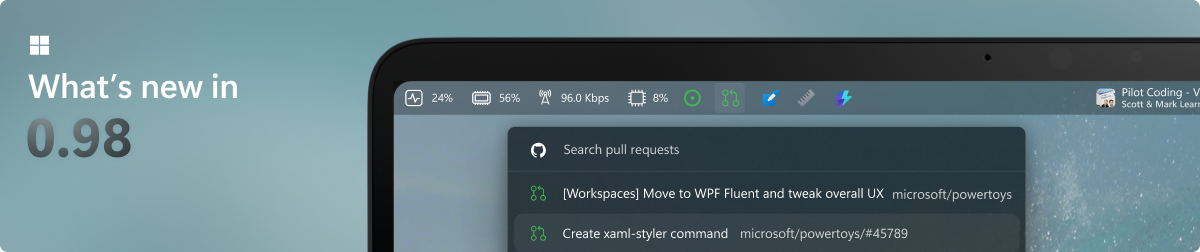
What's new image

To see what's new, check out the release notes.

🛣️ Roadmap

For v0.102, we're working on modernizing several utilities with WinUI 3, expanding Command Palette with tabs and JavaScript/TypeScript extensions, and adding new productivity improvements across PowerToys.

❤️ PowerToys Community

The PowerToys team is extremely grateful to have the support of an amazing active community. The work you do is incredibly important. PowerToys wouldn't be nearly what it is today without your help filing bugs, updating documentation, guiding the design, or writing features. We want to say thank you and take time to recognize your work. Your contributions and feedback improve PowerToys month after month!

Contributing

This project welcomes contributions of all types. Besides coding features / bug fixes, other ways to assist include spec writing, design, documentation, and finding bugs. We are excited to work with the power user community to build a set of tools for helping you get the most out of Windows. We ask that before you start work on a feature that you would like to contribute, please read our Contributor's Guide. We would be happy to work with you to figure out the best approach, provide guidance and mentorship throughout feature development, and help avoid any wasted or duplicate effort. Most contributions require you to agree to a Contributor License Agreement (CLA) declaring that you grant us the rights to use your contribution and that you have permission to do so. For guidance on developing for PowerToys, please read the developer docs for a detailed breakdown. This includes how to setup your computer to compile.

Code of conduct

This project has adopted the Microsoft Open Source Code of Conduct.

Privacy statement

The application logs basic diagnostic data (telemetry). For more privacy information and what we collect, see our PowerToys Data and Privacy documentation.

View on GitHub

Recent activity

commits and pull requests

Recent open issues

view all

Releases and announcements

141 total
  1. Preview v0.101.2712.0v0.101.2712.0Sep 30, 2026pre-release11.3K downloads

    <!-- BEGIN POWERTOYS PREVIEW AGENT --> # Preview v0.101.2712.0 This preview includes the latest features, fixes, and improvements since PowerToys Preview v0.101.2684.0. ## Installer Hashes | Description | Filename | sha256 hash | | --- | --- | --- | | Per user - x64 | [PowerToysUserSetup-0.101.2712.0-x64.exe][ptUserX64] | 06C39BC203174830F5D37566A0246030AF4EE58F86D4158BB3DBF3674434512B | | Per user - ARM64 | [PowerToysUserSetup-0.101.2712.0-arm64.exe][ptUserArm64] | B136061D94EC2DC4978C1B8C277F3C344D9F5C15E614E9A889D22076656A4722 | | Machine wide - x64 | [PowerToysSetup-0.101.2712.0-x64.exe][ptMachineX64] | 55D13FCB900D0E21D50066B2D4D6BC7CEA2443AAB6A1FC8074970211FEDFCF26 | | Machine wide - ARM64 | [PowerToysSetup-0.101.2712.0-arm64.exe][ptMachineArm64] | 24321CFC7DCD449494FA8646EEAD991E24E398F7B4B558FF7AC11F1DFBBC6B26 | [ptUserX64]: https://github.com/microsoft/PowerToys/releases/download/v0.101.2712.0/PowerToysUserSetup-0.101.2712.0-x64.exe [ptUserArm64]: https://github.com/microsoft/PowerToys/releases/download/v0.101.2712.0/PowerToysUserSetup-0.101.2712.0-arm64.exe [ptMachineX64]: https://github.com/microsoft/PowerToys/releases/download/v0.101.2712.0/PowerToys

  2. Preview v0.101.2684.0v0.101.2684.0Sep 26, 2026pre-release11.2K downloads

    <!-- BEGIN POWERTOYS PREVIEW AGENT --> # Preview v0.101.2684.0 This preview includes the latest features, fixes, and improvements since PowerToys Preview v0.101.2652.0. ## Installer Hashes | Description | Filename | sha256 hash | | --- | --- | --- | | Per user - x64 | [PowerToysUserSetup-0.101.2684.0-x64.exe][ptUserX64] | 575749AD4AB4C8665F4982D40809B49C60FB3F5674B95D23500174CC976EC412 | | Per user - ARM64 | [PowerToysUserSetup-0.101.2684.0-arm64.exe][ptUserArm64] | C85BA1777E3E6662CD9676C593DF4E711B991741BEB46291F34A75F082D08A03 | | Machine wide - x64 | [PowerToysSetup-0.101.2684.0-x64.exe][ptMachineX64] | 92717D057B9F6B1997A6092216003332BE01E802BA3752D408E95BB50DD44F5A | | Machine wide - ARM64 | [PowerToysSetup-0.101.2684.0-arm64.exe][ptMachineArm64] | C8CC6FD06CA83341F3A17243CEB2B0A52851C3CB7C8E13F4CBE5B1D2B76793FB | [ptUserX64]: https://github.com/microsoft/PowerToys/releases/download/v0.101.2684.0/PowerToysUserSetup-0.101.2684.0-x64.exe [ptUserArm64]: https://github.com/microsoft/PowerToys/releases/download/v0.101.2684.0/PowerToysUserSetup-0.101.2684.0-arm64.exe [ptMachineX64]: https://github.com/microsoft/PowerToys/releases/download/v0.101.2684.0/PowerToys

  3. Preview v0.101.2652.0v0.101.2652.0Sep 23, 2026pre-release10.3K downloads

    <!-- BEGIN POWERTOYS PREVIEW AGENT --> # Preview v0.101.2652.0 This preview includes the latest fixes and improvements since PowerToys Preview v0.101.2632.0. ## Installer Hashes | Description | Filename | sha256 hash | | --- | --- | --- | | Per user - x64 | [PowerToysUserSetup-0.101.2652.0-x64.exe][ptUserX64] | 0D2BEF1B473F332477BF58426FE09E81439B240687073CA38FB03BDE447A1666 | | Per user - ARM64 | [PowerToysUserSetup-0.101.2652.0-arm64.exe][ptUserArm64] | 1FCA3813B0D9F4CC091332C7E0BAE7A2BDC924DD078258DE189702BC6D48553B | | Machine wide - x64 | [PowerToysSetup-0.101.2652.0-x64.exe][ptMachineX64] | 4C025A3F32C9DE6E2C40A39483329C813102E9C682E57B99C17E722C0A05728F | | Machine wide - ARM64 | [PowerToysSetup-0.101.2652.0-arm64.exe][ptMachineArm64] | 6FB6AA1E04C1E7C29A1824AB1733F74E79775366B536B79D36C76B0DCB0F905B | [ptUserX64]: https://github.com/microsoft/PowerToys/releases/download/v0.101.2652.0/PowerToysUserSetup-0.101.2652.0-x64.exe [ptUserArm64]: https://github.com/microsoft/PowerToys/releases/download/v0.101.2652.0/PowerToysUserSetup-0.101.2652.0-arm64.exe [ptMachineX64]: https://github.com/microsoft/PowerToys/releases/download/v0.101.2652.0/PowerToysSetup-0.101

  4. Preview v0.101.2632.0v0.101.2632.0Sep 21, 2026pre-release8.9K downloads

    <!-- BEGIN POWERTOYS PREVIEW AGENT --> # Preview v0.101.2632.0 This preview includes the latest features, fixes, and improvements since PowerToys Preview v0.101.2601.0. ## Installer Hashes | Description | Filename | sha256 hash | | --- | --- | --- | | Per user - x64 | [PowerToysUserSetup-0.101.2632.0-x64.exe][ptUserX64] | 4A446BF9880981503BE72FFEDB38D12EC9D3A4BDFAC810852F1185ECEC5C5C74 | | Per user - ARM64 | [PowerToysUserSetup-0.101.2632.0-arm64.exe][ptUserArm64] | EBA67EE5560239B74A73689289E57E4CA50272657752DD1ED607B226702DD533 | | Machine wide - x64 | [PowerToysSetup-0.101.2632.0-x64.exe][ptMachineX64] | B579493124A54992E590CDC8CD6434AB2CCCD5CD121A548CBC86EC69CD2A30C3 | | Machine wide - ARM64 | [PowerToysSetup-0.101.2632.0-arm64.exe][ptMachineArm64] | FF51EA569382BA5D2472353D5DD27555AE550A074FE85B107EF5582FC79BDE1F | [ptUserX64]: https://github.com/microsoft/PowerToys/releases/download/v0.101.2632.0/PowerToysUserSetup-0.101.2632.0-x64.exe [ptUserArm64]: https://github.com/microsoft/PowerToys/releases/download/v0.101.2632.0/PowerToysUserSetup-0.101.2632.0-arm64.exe [ptMachineX64]: https://github.com/microsoft/PowerToys/releases/download/v0.101.2632.0/PowerToys

  5. Preview v0.101.2601.0v0.101.2601.0Sep 18, 2026pre-release8.9K downloads

    <!-- BEGIN POWERTOYS PREVIEW AGENT --> # Preview v0.101.2601.0 This preview includes the latest fixes and improvements since PowerToys Preview v0.101.2572.0. ## Installer Hashes | Description | Filename | sha256 hash | | --- | --- | --- | | Per user - x64 | [PowerToysUserSetup-0.101.2601.0-x64.exe][ptUserX64] | 6E3C62216C63D24B7552432CBD58EE98A2CF3B083D420FC93C9495D7E02FB1D9 | | Per user - ARM64 | [PowerToysUserSetup-0.101.2601.0-arm64.exe][ptUserArm64] | 02D5A32138F8DC3F1FAB3BB08F08C77CF72082D4E180CF24D7449CB0110EFD03 | | Machine wide - x64 | [PowerToysSetup-0.101.2601.0-x64.exe][ptMachineX64] | B8BFD979F672813F7DC7D090794E0CD40D5BB681F8A925545B4934BCA191A8E9 | | Machine wide - ARM64 | [PowerToysSetup-0.101.2601.0-arm64.exe][ptMachineArm64] | F3B2657D68FF18B939F15B8AD376B68434F2EA98C3035FAB8C6AB92A18F08E4C | [ptUserX64]: https://github.com/microsoft/PowerToys/releases/download/v0.101.2601.0/PowerToysUserSetup-0.101.2601.0-x64.exe [ptUserArm64]: https://github.com/microsoft/PowerToys/releases/download/v0.101.2601.0/PowerToysUserSetup-0.101.2601.0-arm64.exe [ptMachineX64]: https://github.com/microsoft/PowerToys/releases/download/v0.101.2601.0/PowerToysSetup-0.101

Code frequency

additions and deletions
+287.9K-287.9KWeek of 2025-10-05: +8,300 linesWeek of 2025-10-05: -832 linesWeek of 2025-10-12: +1,644 linesWeek of 2025-10-12: -6,656 linesWeek of 2025-10-19: +2,525 linesWeek of 2025-10-19: -816 linesWeek of 2025-10-26: +2,137 linesWeek of 2025-10-26: -444 linesWeek of 2025-11-02: +17,958 linesWeek of 2025-11-02: -1,977 linesWeek of 2025-11-09: +4,009 linesWeek of 2025-11-09: -2,249 linesWeek of 2025-11-16: +998 linesWeek of 2025-11-16: -661 linesWeek of 2025-11-23: +4,982 linesWeek of 2025-11-23: -443 linesWeek of 2025-11-30: +4,546 linesWeek of 2025-11-30: -5,557 linesWeek of 2025-12-07: +11,312 linesWeek of 2025-12-07: -1,499 linesWeek of 2025-12-14: +4,439 linesWeek of 2025-12-14: -1,848 linesWeek of 2025-12-21: +14,471 linesWeek of 2025-12-21: -1,110 linesWeek of 2025-12-28: +2 linesWeek of 2025-12-28: -1 linesWeek of 2026-01-04: +17,180 linesWeek of 2026-01-04: -6,653 linesWeek of 2026-01-11: +2,281 linesWeek of 2026-01-11: -1,229 linesWeek of 2026-01-18: +5,390 linesWeek of 2026-01-18: -606 linesWeek of 2026-01-25: +9,005 linesWeek of 2026-01-25: -2,410 linesWeek of 2026-02-01: +42,644 linesWeek of 2026-02-01: -3,721 linesWeek of 2026-02-08: +13,419 linesWeek of 2026-02-08: -7,088 linesWeek of 2026-02-15: +823 linesWeek of 2026-02-15: -216 linesWeek of 2026-02-22: +22,517 linesWeek of 2026-02-22: -14,144 linesWeek of 2026-03-01: +16,713 linesWeek of 2026-03-01: -1,586 linesWeek of 2026-03-08: +3,933 linesWeek of 2026-03-08: -606 linesWeek of 2026-03-15: +1,465 linesWeek of 2026-03-15: -998 linesWeek of 2026-03-22: +29,874 linesWeek of 2026-03-22: -1,832 linesWeek of 2026-03-29: +14,988 linesWeek of 2026-03-29: -7,485 linesWeek of 2026-04-05: +4,811 linesWeek of 2026-04-05: -3,177 linesWeek of 2026-04-12: +6,794 linesWeek of 2026-04-12: -3,970 linesWeek of 2026-04-19: +6,337 linesWeek of 2026-04-19: -2,034 linesWeek of 2026-04-26: +773 linesWeek of 2026-04-26: -554 linesWeek of 2026-05-03: +4,990 linesWeek of 2026-05-03: -410 linesWeek of 2026-05-10: +27,706 linesWeek of 2026-05-10: -4,624 linesWeek of 2026-05-17: +41,937 linesWeek of 2026-05-17: -9,086 linesWeek of 2026-05-24: +4,989 linesWeek of 2026-05-24: -4,734 linesWeek of 2026-05-31: +884 linesWeek of 2026-05-31: -319 linesWeek of 2026-06-07: +287,854 linesWeek of 2026-06-07: -683 linesWeek of 2026-06-14: +2,155 linesWeek of 2026-06-14: -498 linesWeek of 2026-06-21: +12,895 linesWeek of 2026-06-21: -2,949 linesWeek of 2026-06-28: +3,701 linesWeek of 2026-06-28: -1,272 linesWeek of 2026-07-05: +20,058 linesWeek of 2026-07-05: -4,586 linesWeek of 2026-07-12: +16,842 linesWeek of 2026-07-12: -1,648 linesWeek of 2026-07-19: +587 linesWeek of 2026-07-19: -70 linesWeek of 2026-07-26: +32,342 linesWeek of 2026-07-26: -4,392 linesWeek of 2026-08-02: +21,525 linesWeek of 2026-08-02: -6,946 linesWeek of 2026-08-09: +40,877 linesWeek of 2026-08-09: -3,171 linesWeek of 2026-08-16: +20,962 linesWeek of 2026-08-16: -1,143 linesWeek of 2026-08-23: +4,576 linesWeek of 2026-08-23: -454 linesWeek of 2026-08-30: +26,380 linesWeek of 2026-08-30: -8,974 linesWeek of 2026-09-06: +40,028 linesWeek of 2026-09-06: -4,734 linesWeek of 2026-09-13: +14,847 linesWeek of 2026-09-13: -11,378 linesWeek of 2026-09-20: +15,931 linesWeek of 2026-09-20: -2,010 linesWeek of 2026-09-27: +49,422 linesWeek of 2026-09-27: -5,376 linesOct 5, 2025Sep 27, 2026
+967.8K lines added, -161.9K removed over the last year.

Commits per week

last 52 weeks
610Week of 2025-10-05: 27 commitsWeek of 2025-10-12: 18 commitsWeek of 2025-10-19: 21 commitsWeek of 2025-10-26: 18 commitsWeek of 2025-11-02: 33 commitsWeek of 2025-11-09: 42 commitsWeek of 2025-11-16: 21 commitsWeek of 2025-11-23: 13 commitsWeek of 2025-11-30: 21 commitsWeek of 2025-12-07: 28 commitsWeek of 2025-12-14: 14 commitsWeek of 2025-12-21: 11 commitsWeek of 2025-12-28: 1 commitsWeek of 2026-01-04: 43 commitsWeek of 2026-01-11: 22 commitsWeek of 2026-01-18: 18 commitsWeek of 2026-01-25: 25 commitsWeek of 2026-02-01: 30 commitsWeek of 2026-02-08: 34 commitsWeek of 2026-02-15: 8 commitsWeek of 2026-02-22: 33 commitsWeek of 2026-03-01: 32 commitsWeek of 2026-03-08: 32 commitsWeek of 2026-03-15: 12 commitsWeek of 2026-03-22: 37 commitsWeek of 2026-03-29: 38 commitsWeek of 2026-04-05: 6 commitsWeek of 2026-04-12: 17 commitsWeek of 2026-04-19: 42 commitsWeek of 2026-04-26: 15 commitsWeek of 2026-05-03: 8 commitsWeek of 2026-05-10: 36 commitsWeek of 2026-05-17: 39 commitsWeek of 2026-05-24: 22 commitsWeek of 2026-05-31: 17 commitsWeek of 2026-06-07: 9 commitsWeek of 2026-06-14: 25 commitsWeek of 2026-06-21: 52 commitsWeek of 2026-06-28: 33 commitsWeek of 2026-07-05: 33 commitsWeek of 2026-07-12: 25 commitsWeek of 2026-07-19: 6 commitsWeek of 2026-07-26: 33 commitsWeek of 2026-08-02: 50 commitsWeek of 2026-08-09: 41 commitsWeek of 2026-08-16: 20 commitsWeek of 2026-08-23: 13 commitsWeek of 2026-08-30: 34 commitsWeek of 2026-09-06: 29 commitsWeek of 2026-09-13: 16 commitsWeek of 2026-09-20: 32 commitsWeek of 2026-09-27: 61 commitsOct 5, 2025Sep 27, 2026
1.3K commits in the last 52 weeks.

When work happens

weekday and hour
SunMonTueWedThuFriSat036912151821Sun 0:00 — 26 commitsSun 1:00 — 21 commitsSun 2:00 — 18 commitsSun 3:00 — 11 commitsSun 4:00 — 5 commitsSun 5:00 — 12 commitsSun 6:00 — 8 commitsSun 7:00 — 5 commitsSun 8:00 — 5 commitsSun 9:00 — 2 commitsSun 10:00 — 14 commitsSun 11:00 — 31 commitsSun 12:00 — 13 commitsSun 13:00 — 36 commitsSun 14:00 — 42 commitsSun 15:00 — 45 commitsSun 16:00 — 41 commitsSun 17:00 — 36 commitsSun 18:00 — 29 commitsSun 19:00 — 26 commitsSun 20:00 — 24 commitsSun 21:00 — 25 commitsSun 22:00 — 42 commitsSun 23:00 — 19 commitsMon 0:00 — 31 commitsMon 1:00 — 23 commitsMon 2:00 — 21 commitsMon 3:00 — 29 commitsMon 4:00 — 14 commitsMon 5:00 — 19 commitsMon 6:00 — 38 commitsMon 7:00 — 32 commitsMon 8:00 — 32 commitsMon 9:00 — 57 commitsMon 10:00 — 95 commitsMon 11:00 — 86 commitsMon 12:00 — 88 commitsMon 13:00 — 116 commitsMon 14:00 — 98 commitsMon 15:00 — 103 commitsMon 16:00 — 141 commitsMon 17:00 — 101 commitsMon 18:00 — 108 commitsMon 19:00 — 92 commitsMon 20:00 — 78 commitsMon 21:00 — 67 commitsMon 22:00 — 77 commitsMon 23:00 — 55 commitsTue 0:00 — 53 commitsTue 1:00 — 38 commitsTue 2:00 — 27 commitsTue 3:00 — 32 commitsTue 4:00 — 29 commitsTue 5:00 — 20 commitsTue 6:00 — 30 commitsTue 7:00 — 39 commitsTue 8:00 — 49 commitsTue 9:00 — 70 commitsTue 10:00 — 111 commitsTue 11:00 — 109 commitsTue 12:00 — 102 commitsTue 13:00 — 96 commitsTue 14:00 — 127 commitsTue 15:00 — 159 commitsTue 16:00 — 116 commitsTue 17:00 — 120 commitsTue 18:00 — 110 commitsTue 19:00 — 84 commitsTue 20:00 — 79 commitsTue 21:00 — 69 commitsTue 22:00 — 85 commitsTue 23:00 — 58 commitsWed 0:00 — 46 commitsWed 1:00 — 36 commitsWed 2:00 — 19 commitsWed 3:00 — 20 commitsWed 4:00 — 20 commitsWed 5:00 — 14 commitsWed 6:00 — 33 commitsWed 7:00 — 27 commitsWed 8:00 — 41 commitsWed 9:00 — 80 commitsWed 10:00 — 103 commitsWed 11:00 — 153 commitsWed 12:00 — 123 commitsWed 13:00 — 110 commitsWed 14:00 — 107 commitsWed 15:00 — 93 commitsWed 16:00 — 138 commitsWed 17:00 — 115 commitsWed 18:00 — 108 commitsWed 19:00 — 84 commitsWed 20:00 — 76 commitsWed 21:00 — 40 commitsWed 22:00 — 57 commitsWed 23:00 — 51 commitsThu 0:00 — 43 commitsThu 1:00 — 28 commitsThu 2:00 — 30 commitsThu 3:00 — 25 commitsThu 4:00 — 36 commitsThu 5:00 — 27 commitsThu 6:00 — 27 commitsThu 7:00 — 33 commitsThu 8:00 — 53 commitsThu 9:00 — 85 commitsThu 10:00 — 89 commitsThu 11:00 — 107 commitsThu 12:00 — 101 commitsThu 13:00 — 102 commitsThu 14:00 — 97 commitsThu 15:00 — 127 commitsThu 16:00 — 137 commitsThu 17:00 — 133 commitsThu 18:00 — 91 commitsThu 19:00 — 86 commitsThu 20:00 — 81 commitsThu 21:00 — 52 commitsThu 22:00 — 42 commitsThu 23:00 — 49 commitsFri 0:00 — 31 commitsFri 1:00 — 22 commitsFri 2:00 — 18 commitsFri 3:00 — 15 commitsFri 4:00 — 17 commitsFri 5:00 — 14 commitsFri 6:00 — 20 commitsFri 7:00 — 27 commitsFri 8:00 — 44 commitsFri 9:00 — 57 commitsFri 10:00 — 82 commitsFri 11:00 — 96 commitsFri 12:00 — 93 commitsFri 13:00 — 93 commitsFri 14:00 — 142 commitsFri 15:00 — 121 commitsFri 16:00 — 116 commitsFri 17:00 — 94 commitsFri 18:00 — 72 commitsFri 19:00 — 60 commitsFri 20:00 — 57 commitsFri 21:00 — 51 commitsFri 22:00 — 47 commitsFri 23:00 — 53 commitsSat 0:00 — 40 commitsSat 1:00 — 25 commitsSat 2:00 — 12 commitsSat 3:00 — 9 commitsSat 4:00 — 4 commitsSat 5:00 — 6 commitsSat 6:00 — 4 commitsSat 7:00 — 2 commitsSat 8:00 — 11 commitsSat 9:00 — 12 commitsSat 10:00 — 19 commitsSat 11:00 — 21 commitsSat 12:00 — 14 commitsSat 13:00 — 12 commitsSat 14:00 — 21 commitsSat 15:00 — 25 commitsSat 16:00 — 25 commitsSat 17:00 — 14 commitsSat 18:00 — 27 commitsSat 19:00 — 23 commitsSat 20:00 — 15 commitsSat 21:00 — 18 commitsSat 22:00 — 18 commitsSat 23:00 — 16 commits
Commit volume by weekday and hour (UTC). Larger dots mean more commits.
DateListRankStars gained
Aug 1, 2026daily#9+70
Jul 31, 2026daily#9+70
  • massgravel/Microsoft-Activation-Scripts

    Open-source Windows and Office activator featuring HWID, Ohook, TSforge, and Online KMS activation methods, along with advanced troubleshooting.

    193.3K stars · Batchfile

  • flutter/flutter

    Flutter makes it easy and fast to build beautiful apps for mobile and beyond

    179.3K stars · Dart

  • Genymobile/scrcpy

    Display and control your Android device

    151K stars · C

  • colbymchenry/codegraph

    Pre-indexed code knowledge graph, auto syncs on code changes, for Claude Code, Codex, Gemini, Cursor, OpenCode, AntiGravity, Kiro, CoPilot, and Hermes Agent — fewer tokens, fewer tool calls, 100% local

    73.2K stars · C

  • tw93/Pake

    🤱🏻 Turn any webpage into a desktop app with one command.

    61.9K stars · Rust

  • Raphire/Win11Debloat

    A simple, lightweight PowerShell script that allows you to remove pre-installed apps, disable telemetry, as well as perform various other changes to declutter and customize your Windows experience. Win11Debloat works for both Windows 10 and Windows 11.

    57.9K stars · PowerShell