iOfficeAI/AionUiPublic

Open-source 24/7 Cowork app for OpenClaw, Hermes, Claude Code, Codex, OpenCode and 20+ more CLI Agent | Customize your assistants | Team them up|Star if you like it!

AI summary: Open-source application for managing and automating diverse CLI AI agents in a unified cross-platform workspace.

Stars
33.3K
+80 today
Forks
3.5K
Watchers
148
Open issues
692
Open PRs
231
Contributors
~115
Commits
6K
Branches
214

TypeScriptApache-2.0Created Aug 7, 2025Last push 25d agoLatest release v2.2.2+223 stars this week+776 this month

Quick answers

What is AionUi?
Open-source application for managing and automating diverse CLI AI agents in a unified cross-platform workspace.
What does AionUi do?
AionUi is a free, open-source Cowork application explicitly designed to seamlessly manage and automate AI agents across various environments. It acts as a unified visual interface that integrates with over 20 different CLI-based agents, including OpenClaw, Hermes, and Claude Code. The platform enables users to customize individual assistants and coordinate them into teams for handling complex, multi-step workflows. It supports execution with zero initial setup and allows integration with any arbitrary API key. By offering remote access capabilities, the tool ensures continuous 24/7 AI automation across macOS, Windows, and Linux operating systems.
Who is AionUi for?
Developers, AI enthusiasts, and automation engineers who need to coordinate multiple CLI AI tools efficiently. It is designed for users comfortable with configuring and managing advanced AI workflows across different operating systems.
How do I get started with AionUi?
git clone https://github.com/iOfficeAI/AionUi.git
How popular is AionUi on GitHub?
iOfficeAI/AionUi has 33,290 stars and 3,470 forks on GitHub, and gained 223 stars in the last 7 days.
What license does AionUi use?
iOfficeAI/AionUi is released under the Apache-2.0 license.

Star history

since Jul 29, 2026
010K20K30KJul 2026Aug 2026Sep 2026Oct 2026
33.3K stars as of Oct 2, 2026. Measured daily since Jul 29, 2026; GitHub no longer exposes earlier star timestamps.

Contribution activity

commits per day, last 52 weeks
SepOctNovDecJanFebMarAprMayJunJulAugSepMonWedFri2025-09-28: 5 commits2025-09-29: 3 commits2025-09-30: 2 commits2025-10-01: 1 commit2025-10-02: 0 commits2025-10-03: 0 commits2025-10-04: 0 commits2025-10-05: 0 commits2025-10-06: 0 commits2025-10-07: 0 commits2025-10-08: 0 commits2025-10-09: 3 commits2025-10-10: 6 commits2025-10-11: 5 commits2025-10-12: 2 commits2025-10-13: 7 commits2025-10-14: 1 commit2025-10-15: 19 commits2025-10-16: 12 commits2025-10-17: 8 commits2025-10-18: 0 commits2025-10-19: 0 commits2025-10-20: 8 commits2025-10-21: 10 commits2025-10-22: 23 commits2025-10-23: 24 commits2025-10-24: 9 commits2025-10-25: 4 commits2025-10-26: 11 commits2025-10-27: 14 commits2025-10-28: 10 commits2025-10-29: 5 commits2025-10-30: 10 commits2025-10-31: 6 commits2025-11-01: 0 commits2025-11-02: 0 commits2025-11-03: 15 commits2025-11-04: 11 commits2025-11-05: 23 commits2025-11-06: 8 commits2025-11-07: 8 commits2025-11-08: 0 commits2025-11-09: 2 commits2025-11-10: 17 commits2025-11-11: 7 commits2025-11-12: 1 commit2025-11-13: 0 commits2025-11-14: 0 commits2025-11-15: 0 commits2025-11-16: 25 commits2025-11-17: 17 commits2025-11-18: 3 commits2025-11-19: 1 commit2025-11-20: 3 commits2025-11-21: 6 commits2025-11-22: 0 commits2025-11-23: 3 commits2025-11-24: 20 commits2025-11-25: 11 commits2025-11-26: 10 commits2025-11-27: 0 commits2025-11-28: 2 commits2025-11-29: 0 commits2025-11-30: 0 commits2025-12-01: 0 commits2025-12-02: 3 commits2025-12-03: 11 commits2025-12-04: 7 commits2025-12-05: 2 commits2025-12-06: 0 commits2025-12-07: 0 commits2025-12-08: 6 commits2025-12-09: 8 commits2025-12-10: 12 commits2025-12-11: 7 commits2025-12-12: 1 commit2025-12-13: 1 commit2025-12-14: 0 commits2025-12-15: 6 commits2025-12-16: 8 commits2025-12-17: 2 commits2025-12-18: 6 commits2025-12-19: 1 commit2025-12-20: 0 commits2025-12-21: 0 commits2025-12-22: 14 commits2025-12-23: 3 commits2025-12-24: 2 commits2025-12-25: 7 commits2025-12-26: 1 commit2025-12-27: 0 commits2025-12-28: 1 commit2025-12-29: 3 commits2025-12-30: 6 commits2025-12-31: 1 commit2026-01-01: 0 commits2026-01-02: 1 commit2026-01-03: 0 commits2026-01-04: 0 commits2026-01-05: 3 commits2026-01-06: 7 commits2026-01-07: 10 commits2026-01-08: 1 commit2026-01-09: 0 commits2026-01-10: 0 commits2026-01-11: 2 commits2026-01-12: 4 commits2026-01-13: 2 commits2026-01-14: 19 commits2026-01-15: 11 commits2026-01-16: 2 commits2026-01-17: 6 commits2026-01-18: 4 commits2026-01-19: 9 commits2026-01-20: 7 commits2026-01-21: 16 commits2026-01-22: 23 commits2026-01-23: 7 commits2026-01-24: 10 commits2026-01-25: 9 commits2026-01-26: 19 commits2026-01-27: 10 commits2026-01-28: 16 commits2026-01-29: 33 commits2026-01-30: 20 commits2026-01-31: 4 commits2026-02-01: 6 commits2026-02-02: 24 commits2026-02-03: 36 commits2026-02-04: 12 commits2026-02-05: 51 commits2026-02-06: 18 commits2026-02-07: 5 commits2026-02-08: 11 commits2026-02-09: 12 commits2026-02-10: 16 commits2026-02-11: 10 commits2026-02-12: 11 commits2026-02-13: 10 commits2026-02-14: 3 commits2026-02-15: 2 commits2026-02-16: 9 commits2026-02-17: 5 commits2026-02-18: 10 commits2026-02-19: 3 commits2026-02-20: 9 commits2026-02-21: 18 commits2026-02-22: 4 commits2026-02-23: 1 commit2026-02-24: 11 commits2026-02-25: 28 commits2026-02-26: 16 commits2026-02-27: 16 commits2026-02-28: 24 commits2026-03-01: 8 commits2026-03-02: 23 commits2026-03-03: 12 commits2026-03-04: 14 commits2026-03-05: 14 commits2026-03-06: 21 commits2026-03-07: 16 commits2026-03-08: 9 commits2026-03-09: 6 commits2026-03-10: 21 commits2026-03-11: 25 commits2026-03-12: 11 commits2026-03-13: 17 commits2026-03-14: 1 commit2026-03-15: 4 commits2026-03-16: 31 commits2026-03-17: 43 commits2026-03-18: 50 commits2026-03-19: 86 commits2026-03-20: 23 commits2026-03-21: 10 commits2026-03-22: 46 commits2026-03-23: 19 commits2026-03-24: 19 commits2026-03-25: 24 commits2026-03-26: 31 commits2026-03-27: 11 commits2026-03-28: 20 commits2026-03-29: 44 commits2026-03-30: 44 commits2026-03-31: 59 commits2026-04-01: 87 commits2026-04-02: 102 commits2026-04-03: 37 commits2026-04-04: 2 commits2026-04-05: 14 commits2026-04-06: 9 commits2026-04-07: 16 commits2026-04-08: 19 commits2026-04-09: 46 commits2026-04-10: 47 commits2026-04-11: 5 commits2026-04-12: 15 commits2026-04-13: 42 commits2026-04-14: 20 commits2026-04-15: 21 commits2026-04-16: 11 commits2026-04-17: 18 commits2026-04-18: 2 commits2026-04-19: 10 commits2026-04-20: 13 commits2026-04-21: 14 commits2026-04-22: 42 commits2026-04-23: 46 commits2026-04-24: 41 commits2026-04-25: 2 commits2026-04-26: 1 commit2026-04-27: 10 commits2026-04-28: 14 commits2026-04-29: 22 commits2026-04-30: 7 commits2026-05-01: 2 commits2026-05-02: 1 commit2026-05-03: 1 commit2026-05-04: 0 commits2026-05-05: 0 commits2026-05-06: 1 commit2026-05-07: 3 commits2026-05-08: 4 commits2026-05-09: 5 commits2026-05-10: 6 commits2026-05-11: 18 commits2026-05-12: 50 commits2026-05-13: 16 commits2026-05-14: 0 commits2026-05-15: 5 commits2026-05-16: 3 commits2026-05-17: 0 commits2026-05-18: 2 commits2026-05-19: 5 commits2026-05-20: 2 commits2026-05-21: 4 commits2026-05-22: 27 commits2026-05-23: 0 commits2026-05-24: 3 commits2026-05-25: 45 commits2026-05-26: 19 commits2026-05-27: 40 commits2026-05-28: 8 commits2026-05-29: 11 commits2026-05-30: 4 commits2026-05-31: 0 commits2026-06-01: 6 commits2026-06-02: 11 commits2026-06-03: 3 commits2026-06-04: 5 commits2026-06-05: 7 commits2026-06-06: 2 commits2026-06-07: 8 commits2026-06-08: 3 commits2026-06-09: 13 commits2026-06-10: 4 commits2026-06-11: 11 commits2026-06-12: 18 commits2026-06-13: 3 commits2026-06-14: 5 commits2026-06-15: 9 commits2026-06-16: 4 commits2026-06-17: 4 commits2026-06-18: 5 commits2026-06-19: 1 commit2026-06-20: 0 commits2026-06-21: 2 commits2026-06-22: 7 commits2026-06-23: 3 commits2026-06-24: 4 commits2026-06-25: 6 commits2026-06-26: 22 commits2026-06-27: 1 commit2026-06-28: 0 commits2026-06-29: 7 commits2026-06-30: 8 commits2026-07-01: 8 commits2026-07-02: 17 commits2026-07-03: 8 commits2026-07-04: 0 commits2026-07-05: 0 commits2026-07-06: 11 commits2026-07-07: 3 commits2026-07-08: 5 commits2026-07-09: 0 commits2026-07-10: 9 commits2026-07-11: 2 commits2026-07-12: 0 commits2026-07-13: 3 commits2026-07-14: 8 commits2026-07-15: 3 commits2026-07-16: 0 commits2026-07-17: 6 commits2026-07-18: 3 commits2026-07-19: 0 commits2026-07-20: 11 commits2026-07-21: 14 commits2026-07-22: 7 commits2026-07-23: 5 commits2026-07-24: 4 commits2026-07-25: 0 commits2026-07-26: 0 commits2026-07-27: 6 commits2026-07-28: 3 commits2026-07-29: 8 commits2026-07-30: 5 commits2026-07-31: 3 commits2026-08-01: 0 commits2026-08-02: 0 commits2026-08-03: 11 commits2026-08-04: 15 commits2026-08-05: 11 commits2026-08-06: 13 commits2026-08-07: 10 commits2026-08-08: 2 commits2026-08-09: 3 commits2026-08-10: 8 commits2026-08-11: 7 commits2026-08-12: 6 commits2026-08-13: 2 commits2026-08-14: 4 commits2026-08-15: 0 commits2026-08-16: 0 commits2026-08-17: 7 commits2026-08-18: 17 commits2026-08-19: 9 commits2026-08-20: 2 commits2026-08-21: 7 commits2026-08-22: 3 commits2026-08-23: 4 commits2026-08-24: 4 commits2026-08-25: 3 commits2026-08-26: 0 commits2026-08-27: 1 commit2026-08-28: 1 commit2026-08-29: 0 commits2026-08-30: 0 commits2026-08-31: 1 commit2026-09-01: 2 commits2026-09-02: 1 commit2026-09-03: 0 commits2026-09-04: 0 commits2026-09-05: 0 commits2026-09-06: 0 commits2026-09-07: 2 commits2026-09-08: 0 commits2026-09-09: 1 commit2026-09-10: 0 commits2026-09-11: 0 commits2026-09-12: 0 commits2026-09-13: 0 commits2026-09-14: 0 commits2026-09-15: 0 commits2026-09-16: 0 commits2026-09-17: 0 commits2026-09-18: 0 commits2026-09-19: 0 commits2026-09-20: 0 commits2026-09-21: 0 commits2026-09-22: 0 commits2026-09-23: 0 commits2026-09-24: 0 commits2026-09-25: 0 commits2026-09-26: 0 commits
3,429 commits in the last yearLessMore

Signals and awards

derived from tracked data
  • Widely adopted

    33,290 stars

  • Community-driven

    ~115 contributors

  • Permissive license

    Apache-2.0

  • Continuous integration

    Automated checks passing

  • Repeat trending

    16 trending appearances

What AionUi does

AionUi is a free, open-source Cowork application explicitly designed to seamlessly manage and automate AI agents across various environments. It acts as a unified visual interface that integrates with over 20 different CLI-based agents, including OpenClaw, Hermes, and Claude Code. The platform enables users to customize individual assistants and coordinate them into teams for handling complex, multi-step workflows. It supports execution with zero initial setup and allows integration with any arbitrary API key. By offering remote access capabilities, the tool ensures continuous 24/7 AI automation across macOS, Windows, and Linux operating systems.

Developers, AI enthusiasts, and automation engineers who need to coordinate multiple CLI AI tools efficiently. It is designed for users comfortable with configuring and managing advanced AI workflows across different operating systems.

  • Unified agent interface: Provides a single graphical workspace to manage multiple disparate CLI-based AI assistants.
  • Multi-agent teaming: Allows users to group specialized agents together to execute complex, multi-stage automation workflows.
  • Cross-platform compatibility: Runs seamlessly across macOS, Windows, and Linux desktop environments without configuration issues.
  • API key flexibility: Supports integration with any custom API key, removing dependencies on specific vendor ecosystems.
  • Remote access capabilities: Enables users to monitor and control their automated AI workflows continuously from remote locations.

Where teams use it

Continuous automated workflows

Teams run background AI tasks 24/7 to monitor data streams and generate reports without manual intervention.

Multi-agent collaboration

Developers chain specialized agents together, using one to write code and another to perform rigorous testing.

Centralized agent management

Users interact with various CLI models like OpenClaw and Codex through a single, intuitive graphical interface.

Remote AI administration

Administrators manage and deploy AI automation tasks on a server while controlling them from a local machine.

Getting started: git clone https://github.com/iOfficeAI/AionUi.git

README

main branch

AionUi - Cowork with AI Agents

Version   License   Platform

GitHub Trending


A free, open-source, Cowork app with AI Agents
Built-in Agent | Zero Setup | Any API Key | Multi-Agents | Remote Access | Cross-Platform | 24/7 Automation

Download Latest Release

English | 简体中文 | 繁體中文 | 日本語 | 한국어 | Español | Português | Türkçe | Русский | Українська | Official Website

💬 Community: Discord (English) | 微信 (中文群) | Twitter
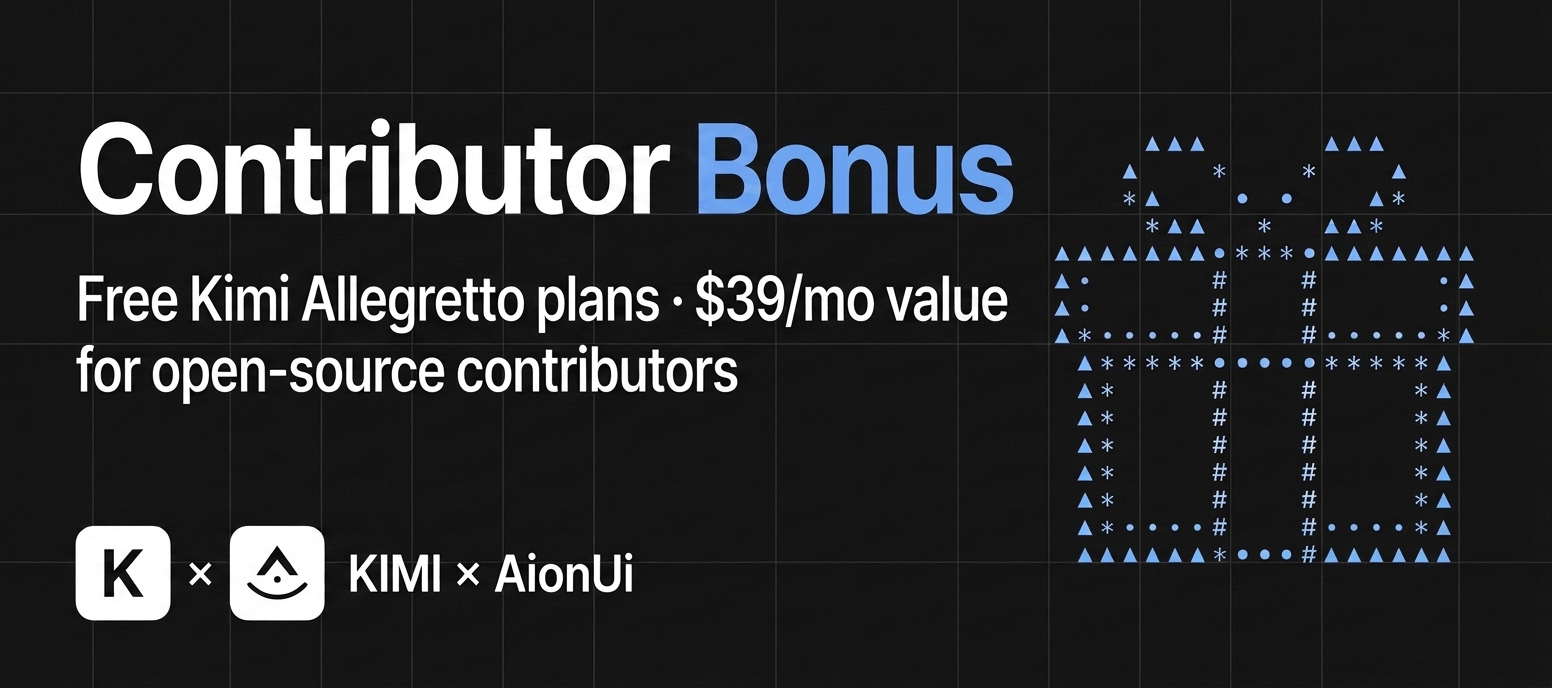

AionUi × Kimi Contributor Bonus

🎁 AionUi × Kimi Partnership: Free premium Kimi "Allegretto" plans ($39/mo · ¥199/mo value) for our contributors!

Kimi K3 is here and works out of the box in AionUi — get a Kimi For Coding plan or an API key (Global / China) · ready to claim? comment here


📋 Quick Navigation

Cowork in Action · Why Choose AionUi? · Quick Start · Community


Cowork — AI Agents That Work Alongside You

AionUi is more than a chat client. It's a Cowork platform where AI agents work alongside you on your computer — reading files, writing code, browsing the web, and automating tasks. You see everything the agent does, and you're always in control.

Traditional AI Chat Clients AionUi (Cowork)
AI can operate on your files Limited or No Yes — built-in agent with full file access
AI can execute multi-step tasks Limited Yes — autonomous with your approval
Remote access from phone Rarely WebUI + Telegram / Lark / DingTalk / WeChat
Scheduled automation No Cron — 24/7 unattended
Multiple AI Agents at once No Dozens of external agents — including Claude Code, Codex, Qwen Code, Hermes Agent, Cursor Agent, and more — in one unified interface
Price Free / Paid Free & Open Source

AionUi Cowork Platform


Built-in Agent — Install & Go, Zero Configuration

AionUi ships with a complete AI agent engine. Unlike tools that require you to install CLI agents separately, AionUi works the moment you install it.

  • No CLI tools to install — the agent engine is built in
  • No complex setup — paste any API key to get started
  • Full agent capabilities — file read/write, web search, image generation, MCP (Model Context Protocol) tools
  • Ready-to-use assistants — 21 built-in professional assistants (Cowork, PPT Creator, Word Creator, Word Form Creator, Excel Creator, Morph PPT, Morph PPT 3D, Pitch Deck Creator, Dashboard Creator, Academic Paper Writer, Financial Model Creator, and more) ready to use immediately

Built-in Agents

Office assistants — PPT, Word & Excel

These tracks match what the app actually ships: Morph PPT presets and the pptx / docx / xlsx skills. The canonical assistant catalog and built-in skills are maintained with AionCore. Want document/table output? AionUi’s built-in OfficeCLI helps PPT (Morph), Word (.docx), and Excel (.xlsx/.xlsm/.csv) go from request to deliverable faster and more reliably. The three assistant types map to file workflows, and the final outputs are directly editable and reusable.

PPT assistant

Output: editable Morph PPT (.pptx) Morph-animated slide-to-slide transitions with coherent story pacing; powered by OfficeCLI.

Morph PPT — slide-to-slide transitions (OfficeCLI) PPT assistant — screen recording
Word assistant

Output: editable Word (.docx) Paper/thesis writing and production-ready document editing via the docx skill; powered by OfficeCLI.

Generate academic paper demo Paper writing assistant demo
Excel assistant

Output: usable Excel (.xlsx/.xlsm/.csv) Generate/refresh spreadsheets with xlsx for analysis, auto-formatting, and charts; powered by OfficeCLI.

Excel generation demo Excel assistant demo

Multi-Agent Mode — Already Have CLI Agents? Bring Them In

If you already use Claude Code, Codex, Hermes Agent, or OpenClaw, AionUi auto-detects them and lets you Cowork with all of them — alongside the built-in agent.

Supported Agents: Built-in Agent (powered by the embedded aionrs agent engine) • Claude Code • Codex • Qwen Code • Gemini CLI • Goose • OpenClaw • Augment Code • CodeBuddy • Kimi CLI • OpenCode • Factory Droid • GitHub Copilot • Qoder • Mistral Vibe • Nanobot • Snow • Hermes • Cursor Agent • Pi • MiMo Code • omp • Antigravity • and more

Multi-Agent Cowork

  • Auto Detection — automatically recognizes installed CLI tools
  • Unified Interface — one Cowork platform for all your AI agents
  • Parallel Sessions — run multiple agents simultaneously with independent context
  • MCP Unified Management — manage MCP (Model Context Protocol) tools in one place; AionUi injects or syncs compatible transports according to each agent's capabilities
  • YOLO / Full-Auto Mode — supported agents can expose an unattended mode; available modes and permission behavior depend on the selected agent

Team Mode — Coordinated Multi-Agent Collaboration

Run multiple AI agents as an organized team: a Leader agent receives your instructions, breaks them into subtasks, and delegates to Teammate agents via a built-in Team MCP Server. Teammates execute in parallel, share results through an async mailbox, and write to a shared task board.

Team Mode overview

  • Parallel multi-agent execution — Leader breaks tasks into subtasks and delegates to Teammate agents running in parallel; each Teammate uses its own model through the selected backend. External agents connect through ACP (Agent Client Protocol), while AionUi coordinates the team
  • Leader orchestration — Leader assigns, tracks, and aggregates results; supported backends include Claude Code, Codex, Hermes Agent, Gemini, Snow CLI, and Aion CLI
  • Team-isolated workspace — all agents share the same folder; each has its own permission dialog with sidebar badge for pending approvals
🔍 View Team Mode Details ▶️
  • Shared Workspace — all agents read/write the same folder; the file panel stays visible throughout
  • Supported backends — Claude Code, Codex, Gemini, Snow CLI, Aion CLI (aionrs); other ACP backends with mcpCapabilities.stdio are auto-supported
  • Dynamic scaling — add or remove Teammates while the team is running; silent agents auto-escalate to failed with one-click removal
  • Granular permissions — each agent has its own permission confirmation dialog; sidebar badge shows pending approvals
  • File sharing — Leader can pass file attachments to Teammates

Any API Key, Full Cowork Agent Power

Other AI apps give you a chatbox with your API key. AionUi gives you a full Cowork agent.

Your API Key What You Get
Gemini API Key Gemini-powered Cowork Agent
OpenAI API Key GPT-powered Cowork Agent
Anthropic API Key Claude-powered Cowork Agent
AWS Bedrock credentials Bedrock-powered Agent via Aion CLI (aionrs)
Ollama / LM Studio (local) Local model Cowork Agent
NewAPI Gateway Unified access to 20+ models

Same agent capabilities — file read/write, web search, image generation, tool use — regardless of which model powers it. AionUi supports 30+ AI platforms including cloud services and local deployments.

Multi-Model Support

🔍 View All 30+ Supported Platforms ▶️

Comprehensive Platform Support:

  • Official Platforms — Gemini, Gemini (Vertex AI), Anthropic (Claude), OpenAI
  • Cloud Providers — AWS Bedrock, New API (unified AI model gateway)
  • Chinese Platforms — Dashscope (Qwen), Dashscope Coding Plan, Zhipu, Moonshot (Kimi), Qianfan (Baidu), Hunyuan (Tencent), Lingyi, ModelScope, InfiniAI, Ctyun, StepFun, SiliconFlow-CN, PPIO
  • International Platforms — DeepSeek, MiniMax, Novita, OpenRouter, SiliconFlow, xAI, Ark (Volcengine), Poe
  • Local Models — Ollama, LM Studio (via Custom platform with local API endpoint)

AionUi also supports NewAPI gateway service — a unified AI model hub that aggregates and distributes various LLMs. Flexibly switch between different models in the same interface to meet various task requirements.


Extensible Assistants & Skills

Extensible assistant system with 21 built-in professional assistants and a three-tier skill system. Create and manage your own assistants and skills.

  • Create Custom Assistants — Define your own assistants with custom rules and capabilities
  • Three-tier Skills — Builtin skills (shipped with AionUi), custom skills (your own), and Extension skills (contributed by third-party extensions); enable/disable per conversation with the skill indicator
  • Per-conversation Control — A skill indicator in the chat header shows active skills for the current conversation; search and exclude skills as needed

AI Assistants & Skills Ecosystem

AionUi supports three skill layers: built-in skills (shipped with the app), custom skills (user-defined), and extension skills (loaded from the Extension SDK).

🔍 View Assistant Details and Custom Skills ▶️

AionUi includes 21 professional assistants with predefined capabilities, extendable through custom skills:

  • 🤝 Cowork — Autonomous task execution (file operations, document processing, workflow planning)
  • 📊 PPT Creator / Morph PPT / Morph PPT 3D — Generate and animate PPTX presentations with Morph transitions
  • 📐 Pitch Deck Creator — Investor-ready pitch deck generation
  • 📊 Dashboard Creator — Data dashboard generation
  • 📝 Word Creator — Production-ready Word (.docx) document generation
  • 📋 Word Form Creator — Structured Word form / contract template generation
  • 📗 Excel Creator — Spreadsheet generation with analysis, charts, and auto-formatting
  • 🎓 Academic Paper Writer — Structured academic paper writing
  • 💰 Financial Model Creator — Financial models and projections
  • 🎮 3D Game — Single-file 3D game generation
  • 🎨 UI/UX Pro Max — Professional UI/UX design (57 styles, 95 color palettes)
  • 📋 Planning with Files — File-based planning for complex tasks (Manus-style persistent markdown planning)
  • 🧭 HUMAN 3.0 Coach — Personal development coach
  • 📣 Social Job Publisher — Job posting and publishing
  • 🦞 moltbook — Zero-deployment AI agent social networking
  • 📈 Beautiful Mermaid — Flowcharts, sequence diagrams, and more
  • 🔧 OpenClaw Setup — Setup and configuration assistant for OpenClaw integration
  • 📖 Story Roleplay — Immersive story roleplay with character cards and world info (SillyTavern compatible)
  • 🧭 AionUi Butler — Product guidance, setup help, and troubleshooting inside AionUi

Custom Skills: Import or create skills from Settings → Skills, then attach them to assistants as needed. Skills come from three sources: built-in (shipped with AionUi), custom (your own), and Extension (contributed via the Extension SDK). Built-in skills include pptx, docx, pdf, xlsx, mermaid, and more.

💡 The canonical built-in definitions live in AionCore's assistant catalog; assistant rules remain Markdown and can be customized in AionUi.


Cowork from Anywhere

Your 24/7 AI assistant — access AionUi from any device, anywhere.

  • WebUI Mode — access via browser from phone, tablet, or any computer. Supports LAN, cross-network, and server deployment. QR code or password login.

  • Chat Platform Integration

    • Telegram — Cowork with your AI agent directly from Telegram
    • Lark (Feishu) — Cowork through Feishu bots for enterprise collaboration
    • DingTalk — AI Card streaming with automatic fallback
    • WeChat — Personal WeChat account integration
    • WeCom (企业微信), Slack, Discord and more platforms coming soon

Setup: AionUi Settings → WebUI Settings → Channel, configure the Bot Token.

WebUI remote access demo

Remote control & monitor your agent — Claude, Gemini, Codex. Use from browser or phone, same as Claude Code remote.

Remote Internet Access Tutorial

✨ Cowork in Action

Scheduled Tasks — Cowork on Autopilot

Set it up once, the AI agent runs automatically on schedule — truly 24/7 unattended operation.

  • Natural Language — tell the agent what to do, just like chatting
  • Three scheduling modes — standard cron expression (with timezone), fixed interval (every N minutes/hours), or one-time trigger
  • AI-created tasks — agents can autonomously create scheduled tasks during a conversation
  • Use Cases: scheduled data aggregation, report generation, file organization, reminders

Scheduled Tasks

🔍 View Scheduled Task Details ▶️

Scheduling modes:

  • Cron expression — standard 5-field cron with timezone support (e.g. 0 9 * * 1, Asia/Shanghai)
  • Every N minutes/hours — fixed interval, e.g. run every 30 minutes
  • One-time — trigger once at a specified datetime, then auto-disable

Execution modes:

  • Continue in existing conversation — appends to the bound conversation so the AI retains full context history
  • Create new conversation each time — opens a fresh session on each trigger, ideal for independent periodic reports

Other capabilities:

  • Conversation-Bound — Each scheduled task is bound to a conversation, maintaining context and history
  • Automatic Execution — Tasks run automatically at scheduled times, sending messages to the conversation
  • Easy Management — Create, modify, enable/disable, delete, and view scheduled tasks anytime
  • Keep-awake — AionUi automatically prevents system sleep while tasks are active, and detects missed triggers after wake
  • Advanced config — each task can have its own model, workspace directory, and reasoning effort settings

Real-World Examples:

  • Daily weather report generation
  • Weekly sales data aggregation
  • Monthly backup file organization
  • Custom reminder notifications

Preview Panel — Instantly View AI-Generated Results

10+ formats: PDF, Word, Excel, PPT, code, Markdown, images, HTML, Diff — view everything without switching apps.

  • Instant Preview — after the agent generates files, view results immediately without switching apps
  • Real-time Tracking + Editable — automatically tracks file changes; supports live editing of Markdown, code, HTML
  • Multi-Tab Support — open multiple files simultaneously, each in its own tab

Preview Panel

🔍 View Complete Format List ▶️

Supported Preview Formats:

  • Documents — PDF, Word (.doc, .docx, .odt), Excel (.xls, .xlsx, .ods, .csv), PowerPoint (.ppt, .pptx, .odp)
  • Code — JavaScript, TypeScript, Python, Java, Go, Rust, C/C++, CSS, JSON, XML, YAML, Shell scripts, and 30+ programming languages
  • Markup — Markdown (.md, .markdown), HTML (.html, .htm)
  • Images — PNG, JPG, JPEG, GIF, SVG, WebP, BMP, ICO, TIFF, AVIF
  • Other — Diff files (.diff, .patch)

Smart File Management — Automated File Operations

Batch renaming, automatic organization, smart classification, file merging — the Cowork agent handles it for you.

Smart File Management

🔍 View File Management Features Details ▶️
  • Auto Organize — Intelligently identify content and auto-classify, keeping folders tidy
  • Efficient Batch — One-click rename, merge files, say goodbye to tedious manual tasks
  • Automated Execution — AI agents can independently execute file operations, read/write files, and complete tasks automatically

Use Cases:

  • Organize messy download folders by file type
  • Batch rename photos with meaningful names
  • Merge multiple documents into one
  • Auto-classify files by content

Excel Data Processing — AI-Powered Analysis

Deeply analyze Excel data, automatically beautify reports, and generate insights — all powered by AI agents.

Excel Processing

🔍 View Excel Processing Features ▶️
  • Smart Analysis — AI analyzes data patterns and generates insights
  • Auto Formatting — Automatically beautify Excel reports with professional styling
  • Data Transformation — Convert, merge, and restructure data with natural language commands
  • Report Generation — Create comprehensive reports from raw data

Use Cases:

  • Analyze sales data and generate monthly reports
  • Clean and format messy Excel files
  • Merge multiple spreadsheets intelligently
  • Create data visualizations and charts

AI Image Generation & Editing

Intelligent image generation, editing, and recognition, powered by Gemini

AI Image Generation

🔍 View Image Generation Features ▶️
  • Text-to-Image — Generate images from natural language descriptions
  • Image Editing — Modify and enhance existing images
  • Image Recognition — Analyze and describe image content
  • Batch Processing — Generate multiple images at once

Image generation model configuration guide


Document Generation — PPT, Word, Markdown

Automatically generate professional documents — presentations, reports, and more — with AI agents.

Document Generation

🔍 View Document Generation Features ▶️
  • PPTX Generator — Create professional presentations from outlines or topics
  • Word Documents — Generate formatted Word documents with proper structure
  • Markdown Files — Create and format Markdown documents for documentation
  • PDF Conversion — Convert between various document formats

Use Cases:

  • Generate quarterly business presentations
  • Create technical documentation
  • Convert PDF to editable formats
  • Auto-format research papers

Personalized Interface Customization

Customize with your own CSS code, make your interface match your preferences

CSS Customization

  • ✅ Fully Customizable — Freely customize interface colors, styles, layout through CSS code, create your exclusive experience

Multi-Task Parallel Processing

Open multiple conversations, tasks don't get mixed up, independent memory, double efficiency

Multi-Task Parallel

  • ✅ Independent Context — Each conversation maintains its own context and history
  • ✅ Parallel Execution — Run multiple tasks simultaneously without interference
  • ✅ Smart Management — Easy switching between conversations with visual indicators

🤔 Why Choose AionUi Over Claude Cowork?

Click to see detailed comparison

AionUi is a free and open-source Multi-AI Agent Desktop. Compared to Claude Cowork which only runs on macOS and is locked to Claude, AionUi is its full-model, cross-platform enhanced version.

Dimension Claude Cowork AionUi
OS macOS Only macOS / Windows / Linux
Model Support Claude Only Gemini, Claude, DeepSeek, OpenAI, Ollama, ...
Interaction Desktop GUI Desktop GUI + WebUI + Telegram / Lark / DingTalk / WeChat
Automation Manual only Cron scheduled tasks — 24/7 unattended
Cost $100/month Free & Open Source

Deep AI Office Scenario Support:

  • File Management: Intelligently organize local folders and batch rename with one click.
  • Data Processing: Deeply analyze and automatically beautify Excel reports.
  • Document Generation: Automatically write and format PPT, Word, and Markdown documents.
  • Instant Preview: Built-in 10+ format preview panels, AI collaboration results instantly visible.

Quick Q&A

Q: Do I need to install Gemini CLI or Claude Code first? A: No. AionUi has a built-in AI agent that works immediately after installation. Just enter any API key to get started. If you also have CLI tools like Claude Code or Gemini CLI installed, AionUi will auto-detect and integrate them for even more capabilities.
Q: What can I do with AionUi? A: AionUi is your private Cowork workspace. The built-in agent can batch organize folders, process Excel data, generate documents, search the web, and generate images. With Multi-Agent Mode, you can also leverage Claude Code, Codex, and other powerful CLI agents through the same interface.
Q: Is it free? A: AionUi is completely free and open source. You only pay for the API usage of whichever provider you choose, and you can use API keys from any provider you prefer.
Q: Can I run AionUi on a server (headless)? A: Yes — AionUi WebUI mode runs as a standalone HTTP server. See the WebUI section above for setup instructions.
Q: Is my data secure? A: All data is stored locally in a SQLite database. Nothing is uploaded to any server.

See How People Use AionUi

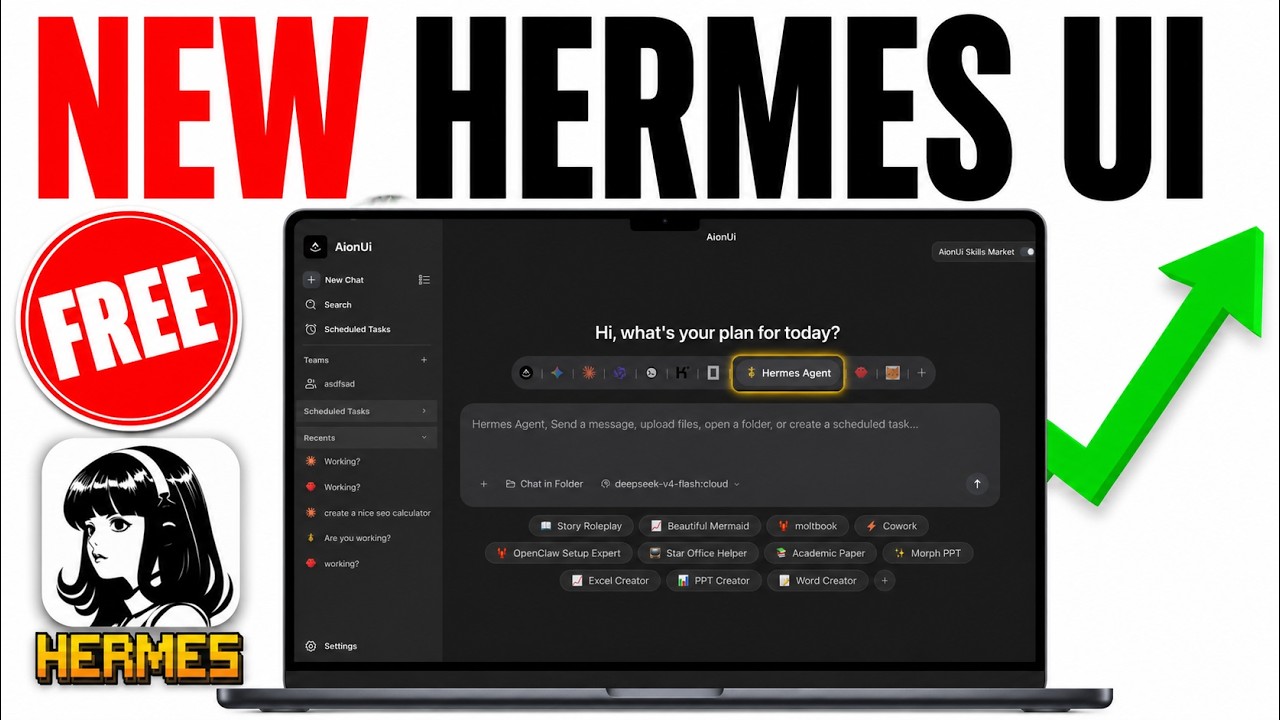
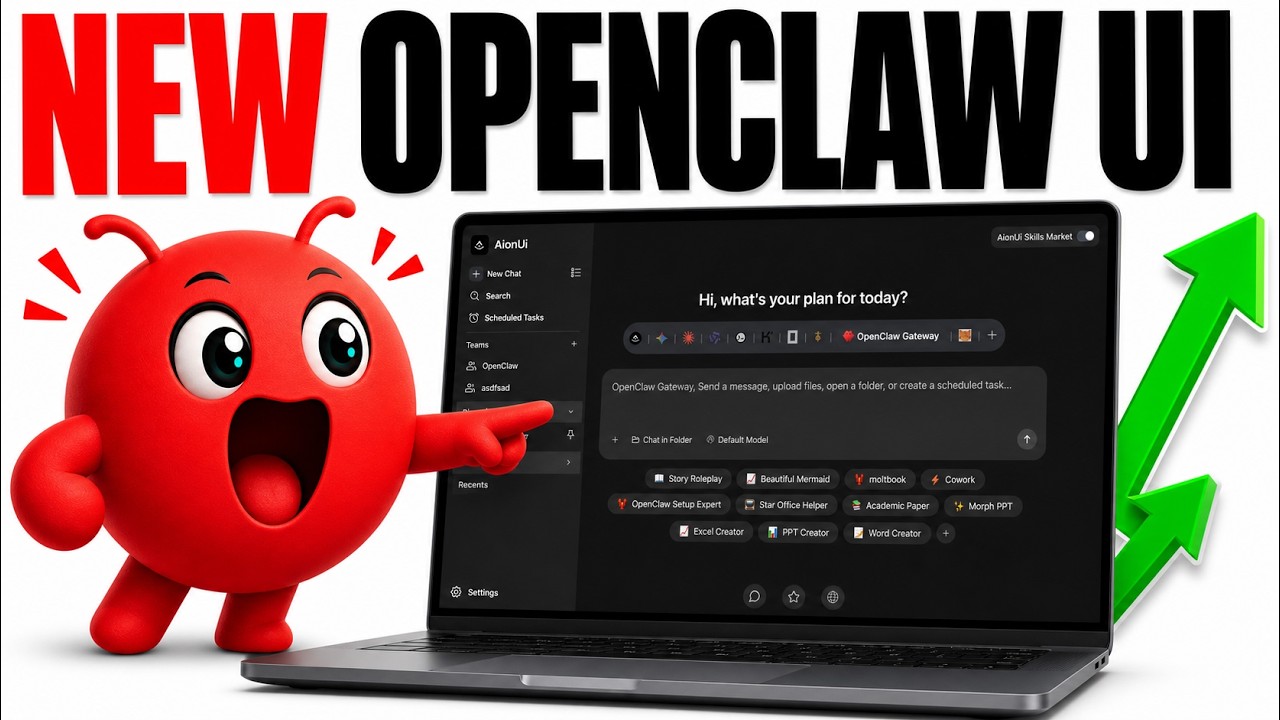
Hermes + Aion UI is Insane (FREE)!    OpenClaw + Aion UI is Insane (FREE!)

Julian Goldie SEO — Hermes + Aion UI is Insane (FREE!) · 27K views        Julian Goldie SEO — OpenClaw + Aion UI is Insane (FREE!) · 11K views
WorldofAI Review    Julian Goldie SEO Review

WorldofAI (200K subscribers)                                          Julian Goldie SEO (384K subscribers)

Community Articles

Made a video about AionUi? Let us know on X and we'll feature it here!


🚀 Quick Start

System Requirements

  • macOS: 10.15 or higher
  • Windows: Windows 10 or higher
  • Linux: Ubuntu 18.04+ / Debian 10+ / Fedora 32+
  • Memory: 4GB+ recommended
  • Storage: 500MB+ available space

Install

Download Latest Release

Click the button above to go to the Releases page and download the installer for your platform (macOS / Windows / Linux).

# Alternatively, macOS via Homebrew
brew install aionui

Get Started in 3 Steps

  1. Install AionUi
  2. Enter any API key to get started
  3. Start Coworking — the built-in AI agent is ready to go

📖 Detailed Guides

📖 Expand to View Complete Usage Guide

🚀 Quick Start

🎯 Use Cases

❓ Support & Help


💬 Community & Support

Your ideas matter! We value every suggestion and feedback.

Contact Us on X

Contributing

Please read CONTRIBUTING.md before opening a PR.

  1. Fork this project
  2. Create a feature branch (git checkout -b feature/AmazingFeature)
  3. Commit your changes (git commit -m 'Add some AmazingFeature')
  4. Push to the branch (git push origin feature/AmazingFeature)
  5. Open a Pull Request

Development Setup

AionUi local development uses two repositories: AionUi for the Electron frontend and AionCore for the local backend. See the Development Guide for the full macOS, Linux, and Windows setup.


License

This project is licensed under Apache-2.0.


Contributors

Contributors

Star History

Star History

If you like it, give us a star

Report Bug · Request Feature

LINUX DO - A New Ideal Community

View on GitHub

Recent activity

commits and pull requests

Recent open issues

view all

Discussions

all 93

Releases and announcements

170 total
  1. v2.2.2v2.2.2Sep 9, 2026

    ## Highlights ### Explorer: tab-scoped refresh and Collapse All - The Files and Changes panel now has a single top-bar Refresh button that does the right thing per tab: on Files it re-mounts every root and revalidates project detail; on Changes it re-discovers repositories and re-pulls their status. - A git worktree created inside an already-open project now shows up on the Changes tab after a single refresh — no more switching projects away and back to make it appear. - The Refresh button tracks real in-flight state (busy/spinner) and ignores repeated clicks until the refresh completes. - New Collapse All action (Files tab) collapses the whole file tree in one click. - The toolbar was regrouped to match VS Code: project actions (add folder, open workspace) first, view actions (refresh, collapse-all) at the far right, and tooltips on the right-docked panel are anchored so short labels no longer wrap. The scattered right-click "Refresh" and Changes-header refresh entries were consolidated into this single control. ### Engine updates (AionCore v0.2.1 → v0.2.2) - Added agent-driven conversation creation, letting an agent start new conversations programmatically — supporting the cros

  2. v2.2.1v2.2.1Sep 1, 2026

    ## Highlights ### Clearer conversation notifications - Turn-completed notifications now include the conversation's name, so you can tell at a glance which conversation finished instead of seeing identical "finished responding" messages (long names are truncated). ### Sidebar tells "still working" from "needs your input" - When a conversation pauses waiting on you — a tool permission request or an agent question (AskUserQuestion) — the sidebar now shows a distinct attention icon instead of the generic generating spinner, across the ACP, Codex, and Aion CLI backends. - A desktop notification also fires for the waiting state (when the window is unfocused), naming the conversation when its title is known, so a paused agent no longer waits unnoticed. ### Fewer forced re-logins - WebUI sessions now silently refresh on a 401 instead of interrupting you to sign in again. ### Engine updates (AionCore v0.1.72 → v0.2.1) - `@@` mentions in a conversation are now routed to the session-message skill, with a fallback to session capability blocks when needed — smoother handoffs in team and multi-session work. - Repository discovery now enumerates a repo's linked git worktrees, so multi-worktre

  3. v2.1.61v2.1.61Aug 25, 2026

    ## Highlights ### Appearance: pick your own font family and weight - Settings → Appearance now lets you choose the typeface across four regions — app, chat, markdown and code — from a searchable list of fonts installed on your machine, plus a matching font-weight control (Light/Regular/Medium/Semibold/Bold, or system default) for each region. ### Archived conversations, fully reachable - The archived conversations list now pages in the rest of each group instead of silently truncating it — a "load more" button reveals older archived chats a page at a time. ### Plan bar pinned above the send box - The agent's plan / to-do snapshot moves out of the message stream into a collapsible bar pinned above the send box, and a bug that could duplicate the plan card while destroying a neighboring message is fixed. ### Preview panel: maximize toggle and better tab menu - The preview panel gains a maximize/restore toggle that hides the chat area and gives the preview the full width; restoring is instant. - Right-clicking a preview tab no longer opens an invisible off-screen menu, and the menu now includes Close and Close Unmodified actions (with `Cmd/Ctrl+W` support scoped to the panel). ##

  4. v2.1.60v2.1.60Aug 21, 2026

    ## What's Changed * fix(desktop): log attribution for uncaught main-process errors by @kaizhou-lab in https://github.com/iOfficeAI/AionUi/pull/4112 * refactor(feedback): attach account email automatically by @tcp404 in https://github.com/iOfficeAI/AionUi/pull/4117 * feat(explorer): refresh a root via backend remount by @tcp404 in https://github.com/iOfficeAI/AionUi/pull/4121 * feat(sidebar): archive-first UI and archived page by @tcp404 in https://github.com/iOfficeAI/AionUi/pull/4126 * feat(renderer): enable mermaid pan/zoom in chat markdown by @heartacker in https://github.com/iOfficeAI/AionUi/pull/4108 * feat(layout): resizable desktop sider with snap-collapse by @tcp404 in https://github.com/iOfficeAI/AionUi/pull/4128 * feat(conversation): allow empty-input start with assistant empty state by @tcp404 in https://github.com/iOfficeAI/AionUi/pull/4127 * feat(chat): @@ conversation mentions and cross-conversation delivery UI by @piorpua in https://github.com/iOfficeAI/AionUi/pull/4131 * chore: bump version to 2.1.60 by @piorpua in https://github.com/iOfficeAI/AionUi/pull/4134 **Full Changelog**: https://github.com/iOfficeAI/AionUi/compare/v2.1.59...v2.1.60

  5. v2.1.59v2.1.59Aug 19, 2026

    ## Highlights ### File Explorer: Drag & Drop + New File/Folder - You can now drag files and folders directly within the project tree to move them across directories, no more manual cut/paste or terminal commands. - Added "New File / New Folder" entries plus a grouped right-click menu for related actions, making file operations more discoverable. - The underlying engine now backs these transfers with proper copy/move commands, so drag-to-transfer and file creation are more reliable. ### Feedback Form - The feedback form now has an optional contact email field, so the team can follow up on the issue you reported. ### Engine Update (AionCore v0.1.70) - The session list now distinguishes Task subagents from regular background tasks, making task status clearer at a glance. ### Bug Fixes - Fixed inline markup (bold/italic) inside chat Markdown headings incorrectly inheriting the heading's larger font size. - Fixed chat KaTeX formulas occasionally rendering twice; they now render once inside a Shadow DOM. - Fixed relative-path images in agent replies failing to display. - Fixed a reload storm when the desktop renderer failed to launch; relaunches are now backed off and throttled. - Fi

Code frequency

additions and deletions
+437.8K-437.8KWeek of 2025-09-28: +858 linesWeek of 2025-09-28: -867 linesWeek of 2025-10-05: +5,187 linesWeek of 2025-10-05: -2,946 linesWeek of 2025-10-12: +30,553 linesWeek of 2025-10-12: -23,061 linesWeek of 2025-10-19: +14,446 linesWeek of 2025-10-19: -9,119 linesWeek of 2025-10-26: +3,481 linesWeek of 2025-10-26: -1,188 linesWeek of 2025-11-02: +11,259 linesWeek of 2025-11-02: -3,676 linesWeek of 2025-11-09: +2,258 linesWeek of 2025-11-09: -1,116 linesWeek of 2025-11-16: +21,557 linesWeek of 2025-11-16: -6,811 linesWeek of 2025-11-23: +13,133 linesWeek of 2025-11-23: -9,552 linesWeek of 2025-11-30: +3,869 linesWeek of 2025-11-30: -1,573 linesWeek of 2025-12-07: +5,192 linesWeek of 2025-12-07: -2,148 linesWeek of 2025-12-14: +4,926 linesWeek of 2025-12-14: -8,210 linesWeek of 2025-12-21: +3,291 linesWeek of 2025-12-21: -1,305 linesWeek of 2025-12-28: +481 linesWeek of 2025-12-28: -97 linesWeek of 2026-01-04: +10,888 linesWeek of 2026-01-04: -5,020 linesWeek of 2026-01-11: +72,423 linesWeek of 2026-01-11: -7,778 linesWeek of 2026-01-18: +24,274 linesWeek of 2026-01-18: -5,144 linesWeek of 2026-01-25: +62,257 linesWeek of 2026-01-25: -21,907 linesWeek of 2026-02-01: +23,059 linesWeek of 2026-02-01: -8,935 linesWeek of 2026-02-08: +10,919 linesWeek of 2026-02-08: -3,183 linesWeek of 2026-02-15: +11,020 linesWeek of 2026-02-15: -7,205 linesWeek of 2026-02-22: +65,830 linesWeek of 2026-02-22: -51,292 linesWeek of 2026-03-01: +47,127 linesWeek of 2026-03-01: -16,672 linesWeek of 2026-03-08: +21,402 linesWeek of 2026-03-08: -15,487 linesWeek of 2026-03-15: +437,839 linesWeek of 2026-03-15: -381,953 linesWeek of 2026-03-22: +110,716 linesWeek of 2026-03-22: -90,140 linesWeek of 2026-03-29: +95,199 linesWeek of 2026-03-29: -22,469 linesWeek of 2026-04-05: +45,400 linesWeek of 2026-04-05: -62,632 linesWeek of 2026-04-12: +66,980 linesWeek of 2026-04-12: -19,460 linesWeek of 2026-04-19: +58,122 linesWeek of 2026-04-19: -64,513 linesWeek of 2026-04-26: +29,842 linesWeek of 2026-04-26: -71,593 linesWeek of 2026-05-03: +210,609 linesWeek of 2026-05-03: -258,568 linesWeek of 2026-05-10: +43,373 linesWeek of 2026-05-10: -86,059 linesWeek of 2026-05-17: +3,689 linesWeek of 2026-05-17: -3,125 linesWeek of 2026-05-24: +23,807 linesWeek of 2026-05-24: -10,176 linesWeek of 2026-05-31: +9,862 linesWeek of 2026-05-31: -2,562 linesWeek of 2026-06-07: +31,372 linesWeek of 2026-06-07: -18,105 linesWeek of 2026-06-14: +15,915 linesWeek of 2026-06-14: -8,948 linesWeek of 2026-06-21: +24,122 linesWeek of 2026-06-21: -13,803 linesWeek of 2026-06-28: +16,444 linesWeek of 2026-06-28: -3,093 linesWeek of 2026-07-05: +23,355 linesWeek of 2026-07-05: -5,071 linesWeek of 2026-07-12: +7,452 linesWeek of 2026-07-12: -3,046 linesWeek of 2026-07-19: +12,783 linesWeek of 2026-07-19: -2,865 linesWeek of 2026-07-26: +13,104 linesWeek of 2026-07-26: -7,734 linesWeek of 2026-08-02: +41,004 linesWeek of 2026-08-02: -6,718 linesWeek of 2026-08-09: +8,854 linesWeek of 2026-08-09: -10,530 linesWeek of 2026-08-16: +24,063 linesWeek of 2026-08-16: -3,415 linesWeek of 2026-08-23: +5,507 linesWeek of 2026-08-23: -752 linesWeek of 2026-08-30: +1,144 linesWeek of 2026-08-30: -570 linesWeek of 2026-09-06: +37 linesWeek of 2026-09-06: -21 linesWeek of 2026-09-13: +0 linesWeek of 2026-09-13: -0 linesWeek of 2026-09-20: +0 linesWeek of 2026-09-20: -0 linesSep 28, 2025Sep 20, 2026
+1.8M lines added, -1.4M removed over the last year.

Commits per week

last 52 weeks
3750Week of 2025-09-28: 11 commitsWeek of 2025-10-05: 14 commitsWeek of 2025-10-12: 49 commitsWeek of 2025-10-19: 78 commitsWeek of 2025-10-26: 56 commitsWeek of 2025-11-02: 65 commitsWeek of 2025-11-09: 27 commitsWeek of 2025-11-16: 55 commitsWeek of 2025-11-23: 46 commitsWeek of 2025-11-30: 23 commitsWeek of 2025-12-07: 35 commitsWeek of 2025-12-14: 23 commitsWeek of 2025-12-21: 27 commitsWeek of 2025-12-28: 12 commitsWeek of 2026-01-04: 21 commitsWeek of 2026-01-11: 46 commitsWeek of 2026-01-18: 76 commitsWeek of 2026-01-25: 111 commitsWeek of 2026-02-01: 152 commitsWeek of 2026-02-08: 73 commitsWeek of 2026-02-15: 56 commitsWeek of 2026-02-22: 100 commitsWeek of 2026-03-01: 108 commitsWeek of 2026-03-08: 90 commitsWeek of 2026-03-15: 247 commitsWeek of 2026-03-22: 170 commitsWeek of 2026-03-29: 375 commitsWeek of 2026-04-05: 156 commitsWeek of 2026-04-12: 129 commitsWeek of 2026-04-19: 168 commitsWeek of 2026-04-26: 57 commitsWeek of 2026-05-03: 14 commitsWeek of 2026-05-10: 98 commitsWeek of 2026-05-17: 40 commitsWeek of 2026-05-24: 130 commitsWeek of 2026-05-31: 34 commitsWeek of 2026-06-07: 60 commitsWeek of 2026-06-14: 28 commitsWeek of 2026-06-21: 45 commitsWeek of 2026-06-28: 48 commitsWeek of 2026-07-05: 30 commitsWeek of 2026-07-12: 23 commitsWeek of 2026-07-19: 41 commitsWeek of 2026-07-26: 25 commitsWeek of 2026-08-02: 62 commitsWeek of 2026-08-09: 30 commitsWeek of 2026-08-16: 45 commitsWeek of 2026-08-23: 13 commitsWeek of 2026-08-30: 4 commitsWeek of 2026-09-06: 3 commitsWeek of 2026-09-13: 0 commitsWeek of 2026-09-20: 0 commitsSep 28, 2025Sep 20, 2026
3.4K commits in the last 52 weeks.

When work happens

weekday and hour
SunMonTueWedThuFriSat036912151821Sun 0:00 — 18 commitsSun 1:00 — 4 commitsSun 2:00 — 14 commitsSun 3:00 — 12 commitsSun 4:00 — 19 commitsSun 5:00 — 4 commitsSun 6:00 — 7 commitsSun 7:00 — 2 commitsSun 8:00 — 4 commitsSun 9:00 — 9 commitsSun 10:00 — 18 commitsSun 11:00 — 26 commitsSun 12:00 — 24 commitsSun 13:00 — 23 commitsSun 14:00 — 25 commitsSun 15:00 — 22 commitsSun 16:00 — 35 commitsSun 17:00 — 22 commitsSun 18:00 — 12 commitsSun 19:00 — 16 commitsSun 20:00 — 17 commitsSun 21:00 — 44 commitsSun 22:00 — 20 commitsSun 23:00 — 10 commitsMon 0:00 — 21 commitsMon 1:00 — 11 commitsMon 2:00 — 11 commitsMon 3:00 — 9 commitsMon 4:00 — 7 commitsMon 5:00 — 8 commitsMon 6:00 — 2 commitsMon 7:00 — 7 commitsMon 8:00 — 2 commitsMon 9:00 — 14 commitsMon 10:00 — 29 commitsMon 11:00 — 48 commitsMon 12:00 — 31 commitsMon 13:00 — 25 commitsMon 14:00 — 48 commitsMon 15:00 — 69 commitsMon 16:00 — 58 commitsMon 17:00 — 52 commitsMon 18:00 — 56 commitsMon 19:00 — 68 commitsMon 20:00 — 121 commitsMon 21:00 — 37 commitsMon 22:00 — 34 commitsMon 23:00 — 13 commitsTue 0:00 — 8 commitsTue 1:00 — 0 commitsTue 2:00 — 1 commitsTue 3:00 — 3 commitsTue 4:00 — 0 commitsTue 5:00 — 1 commitsTue 6:00 — 5 commitsTue 7:00 — 5 commitsTue 8:00 — 0 commitsTue 9:00 — 5 commitsTue 10:00 — 40 commitsTue 11:00 — 53 commitsTue 12:00 — 38 commitsTue 13:00 — 21 commitsTue 14:00 — 46 commitsTue 15:00 — 81 commitsTue 16:00 — 56 commitsTue 17:00 — 65 commitsTue 18:00 — 53 commitsTue 19:00 — 83 commitsTue 20:00 — 66 commitsTue 21:00 — 58 commitsTue 22:00 — 34 commitsTue 23:00 — 19 commitsWed 0:00 — 26 commitsWed 1:00 — 15 commitsWed 2:00 — 9 commitsWed 3:00 — 9 commitsWed 4:00 — 4 commitsWed 5:00 — 9 commitsWed 6:00 — 5 commitsWed 7:00 — 9 commitsWed 8:00 — 5 commitsWed 9:00 — 5 commitsWed 10:00 — 26 commitsWed 11:00 — 64 commitsWed 12:00 — 34 commitsWed 13:00 — 55 commitsWed 14:00 — 72 commitsWed 15:00 — 83 commitsWed 16:00 — 59 commitsWed 17:00 — 93 commitsWed 18:00 — 52 commitsWed 19:00 — 42 commitsWed 20:00 — 62 commitsWed 21:00 — 49 commitsWed 22:00 — 55 commitsWed 23:00 — 19 commitsThu 0:00 — 18 commitsThu 1:00 — 11 commitsThu 2:00 — 6 commitsThu 3:00 — 13 commitsThu 4:00 — 12 commitsThu 5:00 — 6 commitsThu 6:00 — 5 commitsThu 7:00 — 6 commitsThu 8:00 — 16 commitsThu 9:00 — 15 commitsThu 10:00 — 79 commitsThu 11:00 — 57 commitsThu 12:00 — 58 commitsThu 13:00 — 42 commitsThu 14:00 — 53 commitsThu 15:00 — 59 commitsThu 16:00 — 77 commitsThu 17:00 — 61 commitsThu 18:00 — 69 commitsThu 19:00 — 46 commitsThu 20:00 — 80 commitsThu 21:00 — 63 commitsThu 22:00 — 55 commitsThu 23:00 — 20 commitsFri 0:00 — 7 commitsFri 1:00 — 4 commitsFri 2:00 — 10 commitsFri 3:00 — 7 commitsFri 4:00 — 6 commitsFri 5:00 — 3 commitsFri 6:00 — 1 commitsFri 7:00 — 1 commitsFri 8:00 — 0 commitsFri 9:00 — 15 commitsFri 10:00 — 64 commitsFri 11:00 — 53 commitsFri 12:00 — 37 commitsFri 13:00 — 37 commitsFri 14:00 — 58 commitsFri 15:00 — 80 commitsFri 16:00 — 78 commitsFri 17:00 — 85 commitsFri 18:00 — 69 commitsFri 19:00 — 51 commitsFri 20:00 — 55 commitsFri 21:00 — 34 commitsFri 22:00 — 23 commitsFri 23:00 — 10 commitsSat 0:00 — 7 commitsSat 1:00 — 7 commitsSat 2:00 — 4 commitsSat 3:00 — 0 commitsSat 4:00 — 0 commitsSat 5:00 — 2 commitsSat 6:00 — 0 commitsSat 7:00 — 0 commitsSat 8:00 — 5 commitsSat 9:00 — 20 commitsSat 10:00 — 18 commitsSat 11:00 — 15 commitsSat 12:00 — 12 commitsSat 13:00 — 12 commitsSat 14:00 — 12 commitsSat 15:00 — 18 commitsSat 16:00 — 22 commitsSat 17:00 — 16 commitsSat 18:00 — 9 commitsSat 19:00 — 10 commitsSat 20:00 — 24 commitsSat 21:00 — 14 commitsSat 22:00 — 16 commitsSat 23:00 — 25 commits
Commit volume by weekday and hour (UTC). Larger dots mean more commits.
DateListRankStars gained
Feb 13, 2026daily#22+121
Feb 11, 2026daily#22+176
Feb 10, 2026daily#15+178
Feb 9, 2026daily#17+187
Feb 8, 2026daily#19+164
Jan 26, 2026daily#23+124
Jan 25, 2026daily#20+180
Jan 24, 2026daily#21+158
Jan 23, 2026daily#19+199
Jan 22, 2026daily#21+161
Jan 21, 2026daily#8+299
Jan 20, 2026daily#8+299
Jan 19, 2026daily#8+399
Jan 18, 2026daily#10+295
Jan 17, 2026daily#10+252
  • freeCodeCamp/freeCodeCamp

    freeCodeCamp.org's open-source codebase and curriculum. Learn math, programming, and computer science for free.

    456.7K stars · TypeScript

  • openclaw/openclaw

    The AI that really does things. Any OS. Any Platform. The lobster way. 🦞

    391.3K stars · TypeScript

  • obra/superpowers

    An agentic skills framework & software development methodology that works.

    295.2K stars · Shell

  • affaan-m/ECC

    The agent harness performance optimization system. Skills, instincts, memory, security, and research-first development for Claude Code, Codex, Opencode, Cursor and beyond.

    272.8K stars · JavaScript

  • NousResearch/hermes-agent

    The agent that grows with you

    251.2K stars · Python

  • anomalyco/opencode

    The open source coding agent.

    211.7K stars · TypeScript